What is Canva and why are so many beginners learning it today?
Canva is one of the easiest digital design tools that helps people create professional content for social media,
websites, blogs, Pinterest, Fiverr, YouTube, and online businesses without needing advanced design skills.
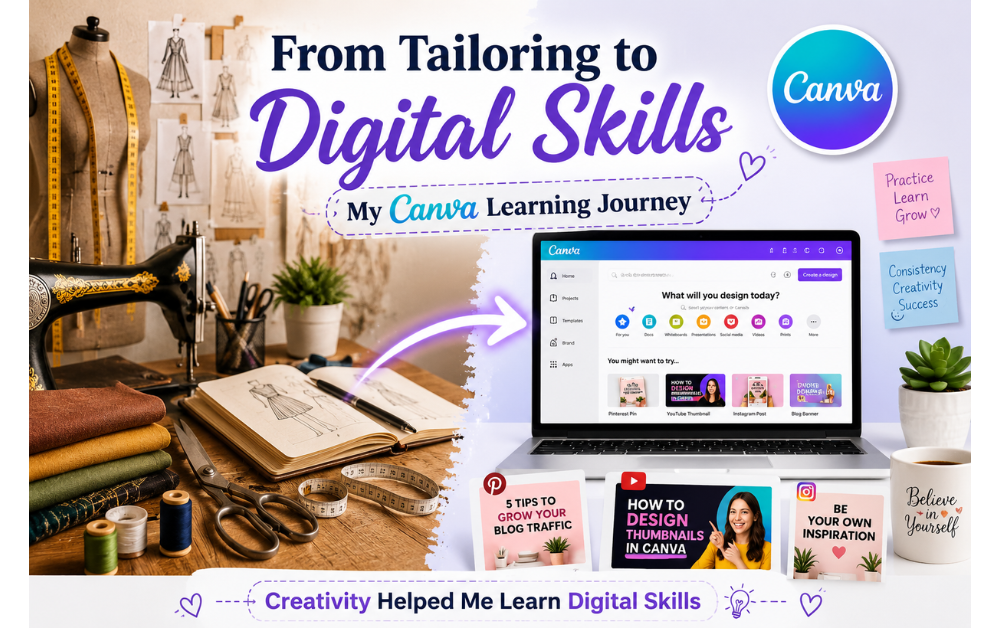
A few years ago, I was fully focused on tailoring.
I have more than twenty-five years of experience in cutting, stitching, draping, and pattern making.
Every day brought a new design, a new size, and a new creative challenge. In tailoring,
I learned one important lesson: even the best fabric and design become useless if the fitting is not correct.
Later, when I entered the digital world, I realized the same principle applies here too.
Beautiful content alone is not enough. Proper structure, creativity, consistency, and practical skills are what truly make a difference online.
At the beginning, I was confused like many beginners. There were too many platforms, tools, and tutorials everywhere. Then I discovered Canva.
Canva made digital creativity simple for me.
Instead of spending months learning complicated software, I started creating Pinterest pins, blog images, social media graphics, and website visuals in a much easier way.
That is why I believe Canva is one of the best beginner-friendly digital skills anyone can learn today.
Whether you are a student, tailor, freelancer, fashion designer, small business owner, or content creator,
Canva gives you the ability to create professional designs without needing advanced technical knowledge.
In this beginner guide, you will learn what Canva is, how Canva works, and why learning Canva can help you build practical digital skills step by step.
What Is Canva?
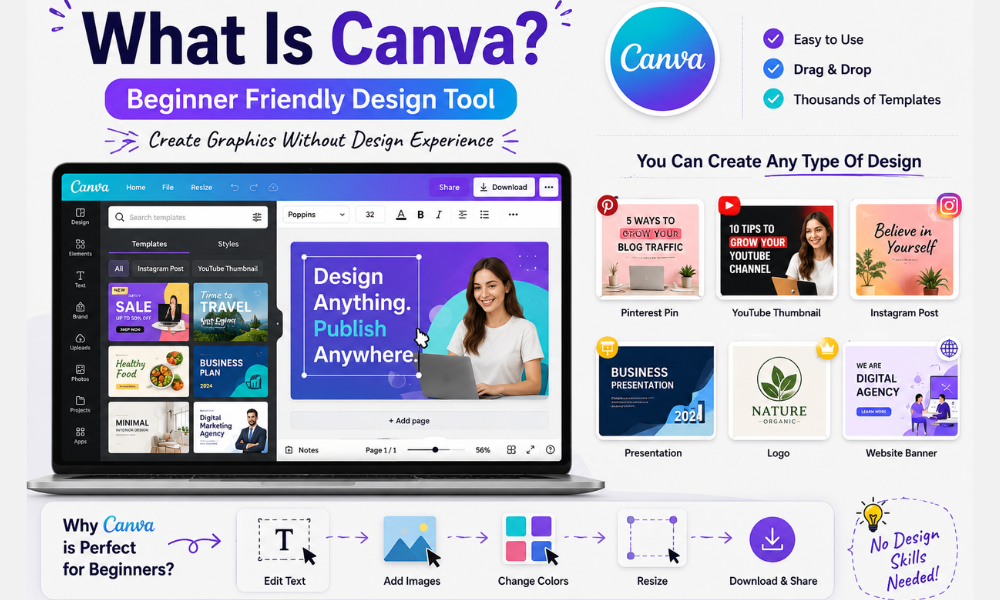
What is Canva? Canva is a beginner-friendly online design platform that allows people to create professional graphics, social media posts, presentations,
Pinterest pins, YouTube thumbnails, logos, website images, and many other types of visual content without needing advanced graphic design experience.
One of the biggest reasons Canva became so popular is its simplicity.
Instead of learning complicated software with difficult tools, beginners can simply drag and drop elements, edit text, change colors, and customize ready-made templates in just a few clicks.
Canva works on both desktop and mobile devices, which makes it very convenient for students, freelancers, bloggers, fashion designers,
small business owners, and content creators who want to create digital content quickly and easily.
Another great thing about Canva is that it saves time.
You do not need to start every design from zero because Canva already provides thousands of templates for social media, business branding, marketing, blogging, and online growth.
Today, many people use Canva for:
Pinterest pin design
Instagram posts
YouTube thumbnails
Fiverr gig images
Blog feature images
Business banners
WhatsApp catalogs
Presentations and marketing materials
For beginners, Canva is more than just a design tool.
It is often the first step into the world of digital skills, online creativity, freelancing, and content creation.
Why Canva Became So Popular
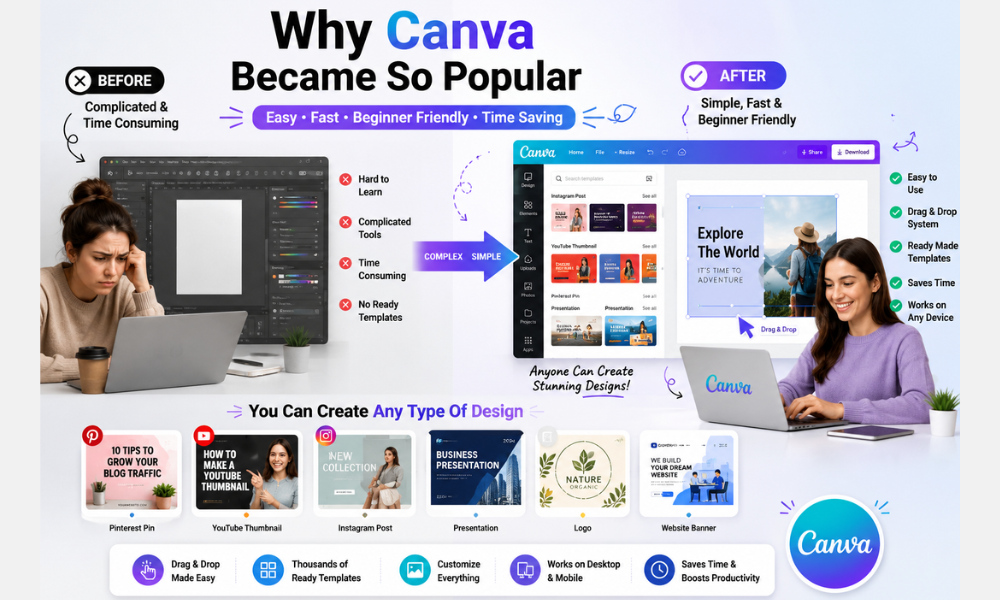
What is Canva and why Canva became so popular is easy to understand, especially for beginners who want to learn digital skills without spending months learning complicated design software
Canva made graphic design simple, fast, and accessible for everyone.
One of the main reasons behind Canva’s success is its drag-and-drop system. Users can easily move text, images, icons, colors, and elements without needing technical design knowledge.
This makes the design process smooth and beginner-friendly.
Another reason Canva is growing so quickly is its huge library of ready-made templates.
Instead of creating everything from scratch, beginners can simply choose a professional template and customize it according to their needs.
This helps people create high-quality content for social media, blogging, Pinterest, YouTube, Fiverr, and business branding much faster.
Unlike traditional graphic design software, Canva does not require a design degree or advanced experience.
Even someone with zero background in graphic design can start creating attractive visuals within a short time.
Canva also became popular because it works perfectly on both desktop and mobile devices.
Whether you are using a laptop or a smartphone, you can create social media posts, Pinterest pins, blog graphics, presentations, and marketing content from almost anywhere.
Today, Canva is widely used by freelancers, bloggers, students, fashion designers, small business owners, digital creators,
and online entrepreneurs because it combines simplicity, creativity, speed, and practical digital skills in one platform.
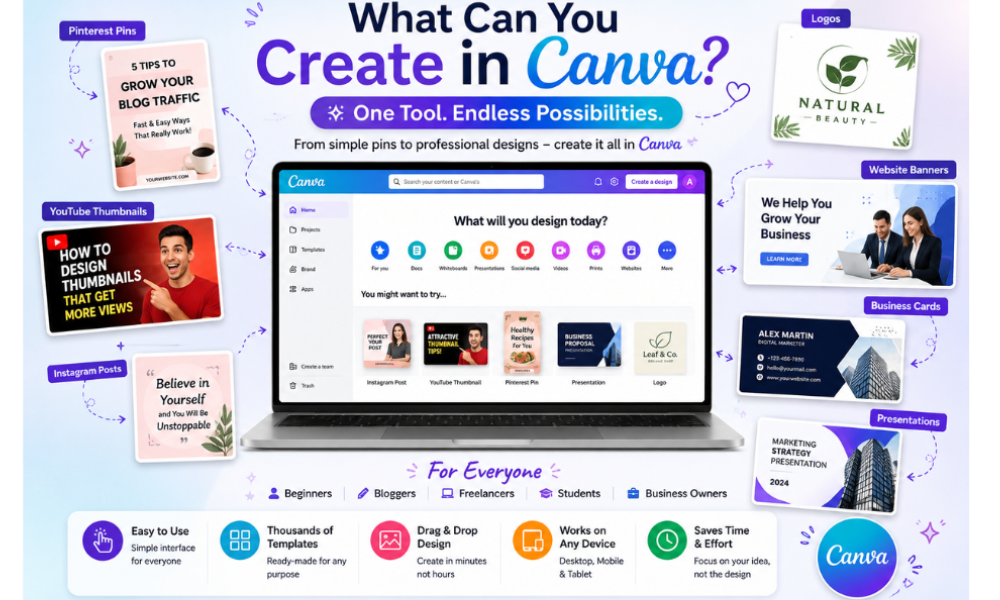
What Can You Create in Canva?
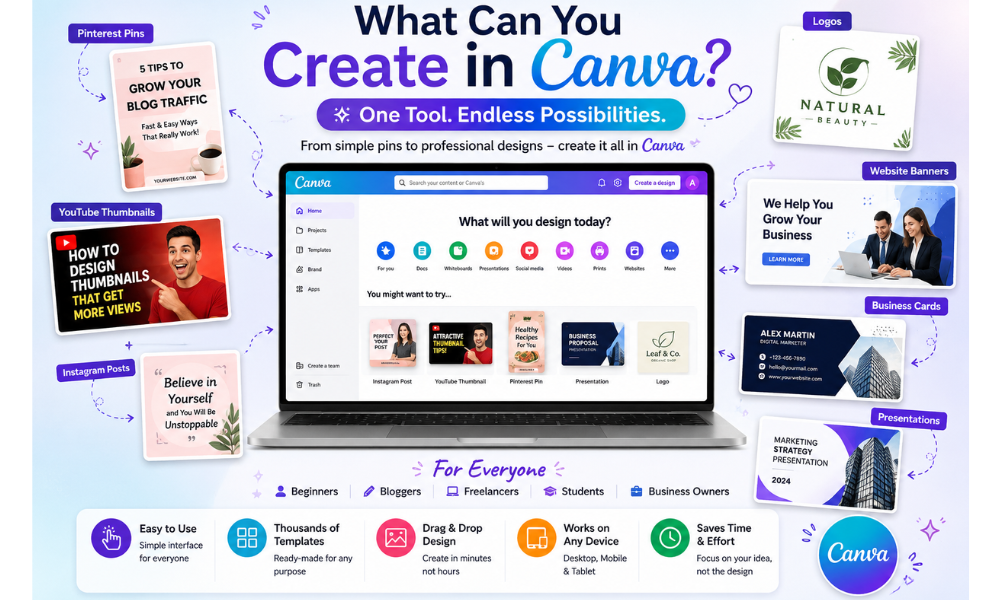
What is Canva really becomes more exciting when beginners discover how many different types of content they can create using this simple design platform.
Canva is not only for graphic designers, it is a complete visual content creation tool that helps beginners, freelancers, bloggers, students,
and business owners create professional-looking designs for both personal and professional use.
Pinterest Pins
Canva is widely used for creating eye-catching Pinterest pins that help bloggers, affiliate marketers, and businesses attract traffic and increase visibility online.
Beginners can easily customize Pinterest pin templates with colors, titles, images, and branding elements without needing advanced design skills.
YouTube Thumbnails
One of the most popular uses of Canva is designing YouTube thumbnails.
A strong thumbnail helps videos get more clicks and attention.
Canva provides ready-made thumbnail templates that beginners can edit quickly to create clean, attractive, and professional video covers.
Instagram Posts
Canva makes social media design much easier for beginners.
Users can create Instagram posts, stories, reels covers, quotes, promotional graphics, and branding content using simple drag-and-drop tools and modern templates.
Logos
Beginners can also use Canva to design simple logos for personal brands, small businesses, blogs, YouTube channels, Fiverr profiles, and social media pages.
Canva offers many logo templates that can be customized with different fonts, icons, and colors.
Business Cards
Canva allows users to create professional business cards without hiring a graphic designer.
Small business owners, freelancers, fashion designers, and digital creators can easily design modern business cards that match their brand identity.
Website Graphics
Many bloggers and website owners use Canva to create website banners, blog feature images, Pinterest graphics, call-to-action sections, and promotional visuals.
This helps websites look more professional and visually organized.
WhatsApp Catalogs
Canva is also useful for creating WhatsApp catalog images and product promotional designs.
Small businesses can create attractive visuals for curtains, fashion products, tailoring services, digital services, and online shops to share directly with customers.
Presentations
Students, teachers, freelancers, and business owners use Canva to create clean and professional presentations.
Instead of making boring slides, Canva helps users build visually engaging presentations with images, icons, charts, and modern layouts.
Today, Canva has become one of the most practical digital tools for beginners because it helps people create high-quality content quickly without complicated software or expensive design experience.
Why Beginners Should Learn Canva First
What is Canva becomes an important question for anyone starting their digital skills journey because Canva is one of the easiest and most
practical tools beginners can learn today.
Instead of spending months learning complicated graphic design software, beginners can start creating professional-looking content in a much simpler and faster way.
One of the biggest advantages of Canva is its easy learning curve.
The platform is designed for normal users, not only professional designers.
Beginners can understand the basic tools, templates, and editing features within a short time, which helps build confidence quickly.
Another reason beginners should start with Canva is that the free version is powerful enough for learning and creating quality content.
Users can access thousands of templates, fonts, icons, photos, and design elements without spending money in the beginning.
This makes Canva a budget-friendly digital skill for students, freelancers, and small business owners.
Canva is also useful for almost every type of business and online work.
Whether someone runs a blog, YouTube channel, Pinterest account, tailoring business, online store,
Fiverr service, or social media page, Canva helps create visual content that looks professional and attractive.
For beginners interested in freelancing, Canva can become the foundation of many online earning opportunities.
People use Canva skills for Pinterest pin design, social media management, YouTube thumbnails, business branding,
blog graphics, presentation design, and digital marketing services on platforms like Fiverr and Upwork.
Another important reason to learn Canva is social media content creation.
Today, businesses and creators constantly need content for Instagram, Facebook, Pinterest, TikTok, YouTube, and WhatsApp marketing.
Canva makes it easier to create engaging visuals that help brands grow online.
Learning Canva also helps beginners understand branding skills.
Users start learning about colors, fonts, layouts, visual communication, and content presentation.
These skills become valuable in blogging, freelancing, digital marketing, and online business growth.
Today, Canva is not only a design tool, it is becoming a complete beginner-friendly digital skill that opens the door to creativity, branding, freelancing, and online business opportunities.
How Canva Helped Me Start Learning Digital Skills
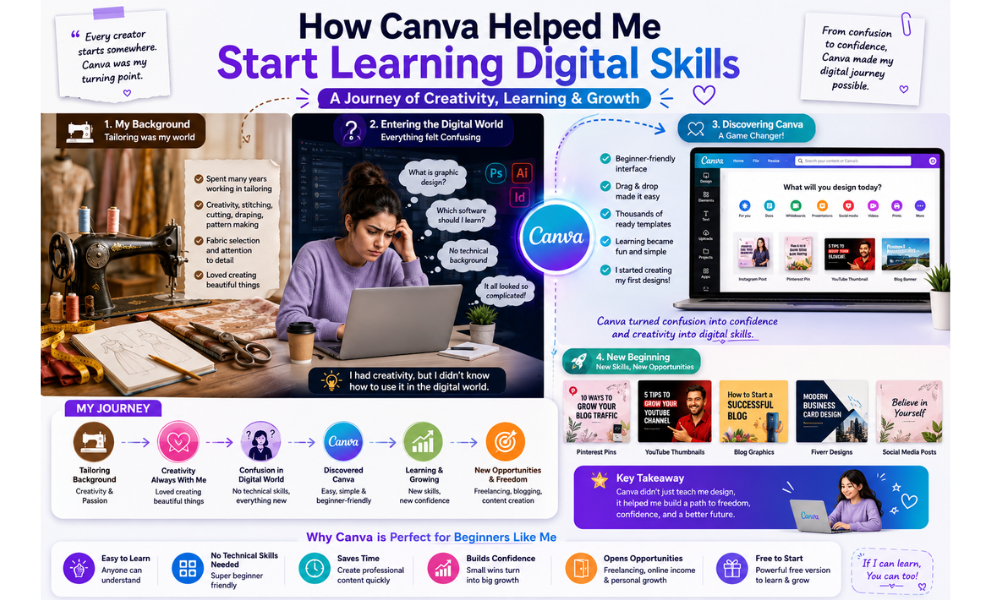
What is Canva was not just a simple question for me, it became the starting point of my digital skills journey.
Before learning Canva, my background was completely different.
I spent many years working in tailoring, where creativity, stitching, cutting, draping, fabric selection, and pattern making were part of my daily life.
Even though tailoring and digital design look different, both require creativity, visual understanding, balance, and attention to detail.
When I first entered the digital world, everything felt confusing.
Graphic design software looked complicated, and I had no technical background in digital marketing or online content creation.
But Canva changed that experience completely. Its beginner-friendly system made learning easier and less stressful for someone like me who was starting from zero.
One of the biggest reasons Canva helped me grow was because it allowed me to connect my creativity with digital skills.
Instead of spending months learning difficult software, I started creating simple graphics, thumbnails, Pinterest pins, and blog visuals within a short time.
This gave me confidence that learning digital skills was possible even without a professional design background.
As I continued practicing, Canva slowly became part of my freelancing journey.
I started learning how to create Pinterest pin designs, social media graphics, blog feature images, and visual content for online platforms.
This also helped me understand how design and branding work together in the digital world.
Canva also became connected to my Fiverr learning journey.
While exploring freelancing opportunities, I realized that many businesses need attractive visual content for Pinterest marketing, blogging, YouTube, and social media.
Canva made it possible for me to practice these skills and move toward digital freelancing step by step.
Another important part of my journey was blogging.
While building my website and learning content creation, Canva helped me create blog graphics,
website visuals, thumbnails, and Pinterest content that made my articles look more professional and engaging.
Today, Canva is more than just a design platform for me. It became the bridge between my traditional tailoring experience and my new digital skills journey.
It showed me that creativity can evolve into new opportunities when combined with learning, consistency, and practical digital tools.
Canva Free vs Canva Pro
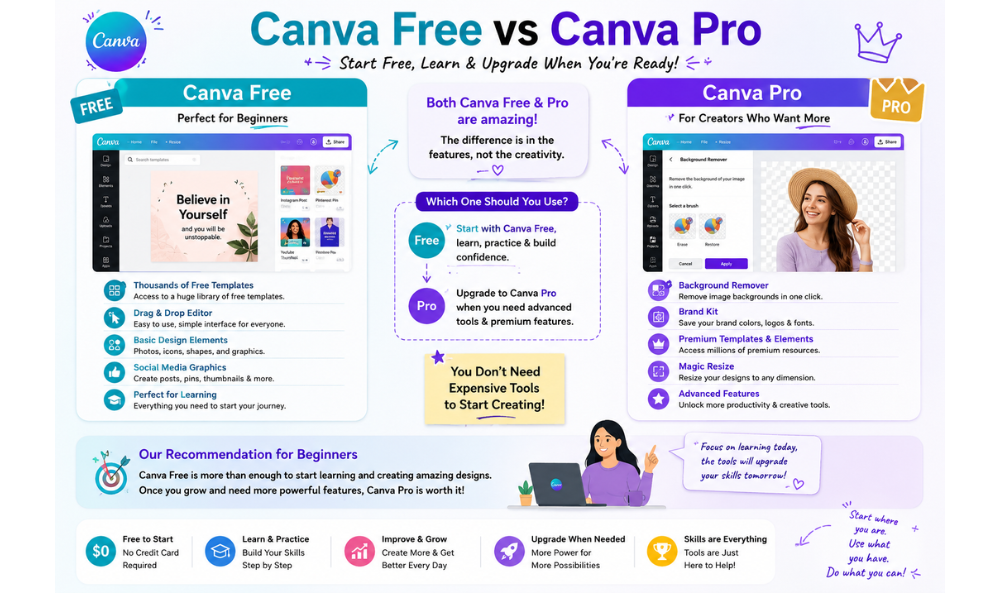
What is Canva without understanding the difference between Canva Free and Canva Pro?
For beginners starting their digital skills journey, this comparison is important because many people think they must buy expensive tools before learning design.
The good news is that Canva Free is already powerful enough for most beginners.
Canva Free gives users access to thousands of templates, design elements, fonts, photos, icons, and editing tools.
Beginners can easily create Pinterest pins, YouTube thumbnails, Instagram posts, blog graphics, presentations, business cards,
and social media content without paying anything in the beginning.
One of the biggest advantages of Canva Free is that it allows beginners to practice and improve their creativity without financial pressure.
People can learn design basics, branding skills, layout structure, and content creation step by step while using free tools.
Canva Pro, on the other hand, is designed for users who want more advanced features and faster workflow management.
It includes premium templates, background remover tools, brand kits, content scheduling, advanced resizing options, premium stock photos,
and additional design elements that help businesses and content creators work more efficiently.
For freelancers, bloggers, YouTubers, Pinterest marketers, and small business owners, Canva Pro can save time and improve productivity.
However, beginners should understand that learning creativity and design thinking is more important than immediately buying premium tools.
One of the best things about Canva is that beginners can start with the free version and later upgrade to Canva Pro only when they truly need advanced features.
This makes the platform beginner-friendly, budget-friendly, and less stressful for people entering the digital world for the first time.
Today, both Canva Free and Canva Pro are helping millions of users create professional-looking content,
but the real success comes from consistency, creativity, and regular practice, not only from premium features.
Common Beginner Mistakes in Canva
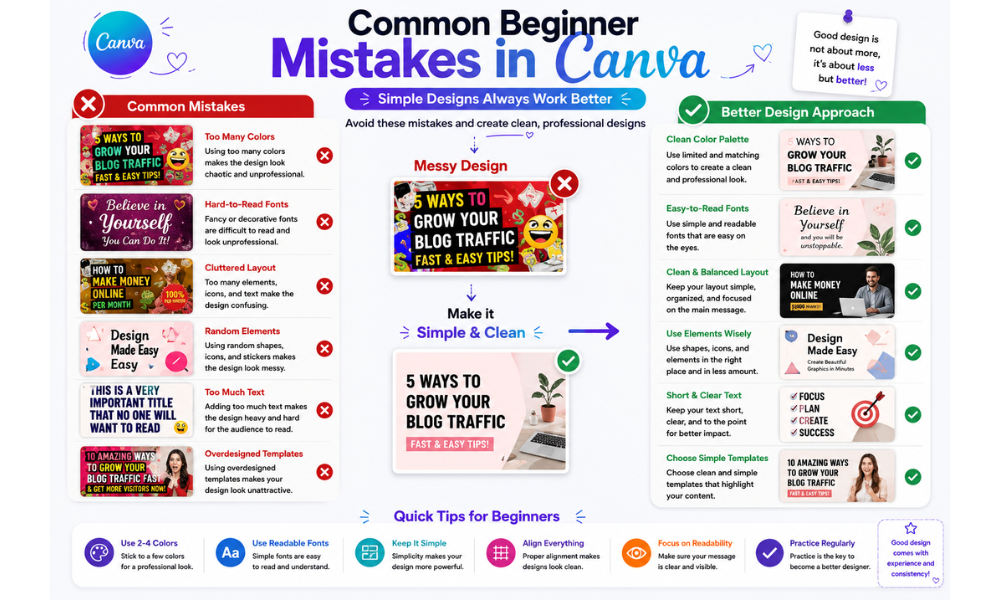
What is Canva learning without understanding the common mistakes most beginners make during the design process?
Many new users become excited after discovering Canva, but they often create designs that look crowded, confusing, or difficult to read.
Learning these mistakes early can help beginners improve much faster.
One of the most common beginner mistakes is using too many colors in one design.
Beginners often try to make their graphics look more attractive by adding many bright colors together.
However, too many colors can make a design look messy and unprofessional. Simple color combinations usually create cleaner and stronger visual results.
Another common problem is choosing unreadable fonts.
Many beginners use decorative or stylish fonts that look attractive at first but become difficult to read, especially on mobile screens.
In graphic design and content creation, readability is more important than using complicated typography.
Cluttered layouts are also a major beginner mistake in Canva.
Some users place too much text, too many images, icons, and design elements into one small space.
This removes focus from the main message and makes the design feel overwhelming.
Clean spacing and simple layouts usually create better engagement and visual balance.
Many beginners also make the mistake of copying random templates without understanding the purpose behind the design.
Canva templates are helpful for learning, but successful content creation requires customization, branding, and understanding the target audience.
Simply changing colors or text is not always enough to create effective visual content.
Another beginner mistake is ignoring visual hierarchy. Important information like titles, headings, and call-to-action text should stand out clearly.
If everything in the design looks the same size and style, viewers may not know where to focus first.
Some beginners also overuse effects, animations, shadows, and graphic elements.
While Canva offers many creative tools, using too many effects can reduce professionalism and distract from the actual message of the content.
The best way to improve in Canva is to focus on simplicity, readability, consistency, and regular practice.
Over time, beginners naturally develop a better understanding of colors, layouts, branding, and visual communication skills.
Final Thoughts
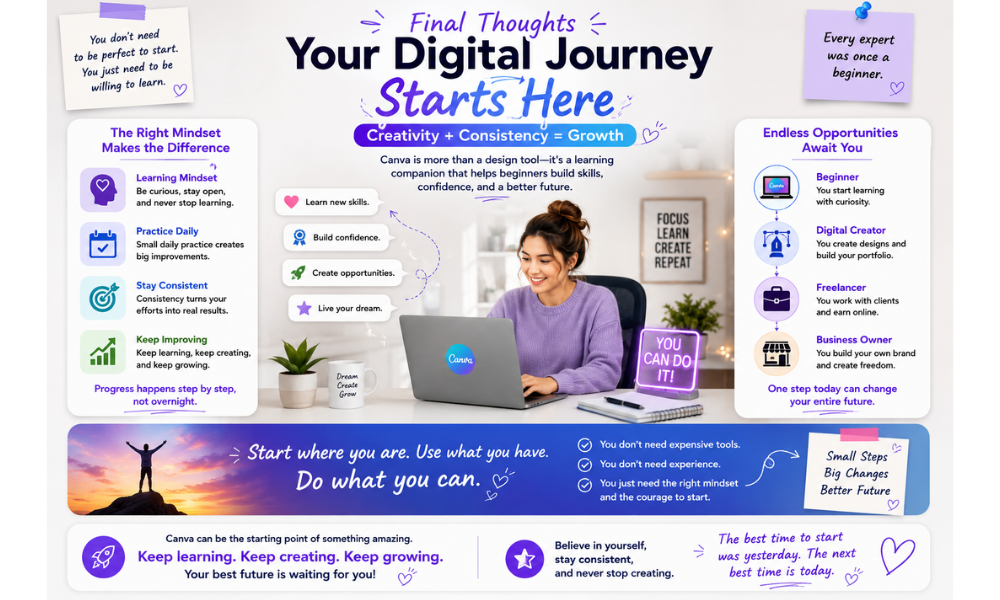
What is Canva really teaching beginners beyond graphic design?
It teaches that learning digital skills does not always need expensive software, professional experience, or a technical background.
Sometimes, the most important thing is having the right learning mindset, consistency, and the willingness to practice step by step.
For many beginners, the hardest part is not learning the tools, it is overcoming fear, confusion, and self-doubt.
Canva makes the learning process easier because it allows people to create real designs quickly while improving creativity and confidence at the same time.
Whether you want to become a freelancer, blogger, Pinterest creator, YouTuber, small business owner, or content creator, Canva can become a strong starting point in your digital journey.
The more you practice, the more you understand design, branding, content creation, and visual communication skills.
Remember, professional results do not happen overnight.
Every expert once started as a beginner. Small daily practice, simple projects, and continuous learning can slowly build valuable digital skills that may create future online opportunities.
Today, Canva is helping millions of people around the world turn creativity into practical skills.
Instead of waiting for the perfect time, the best approach is to start learning, keep improving, and stay consistent with your creative journey.
If you want to explore Canva and start practicing your own designs, you can visit the official platform here:
Pingback: How to Create Pinterest Pins in Canva for Beginners
Pingback: How to Design Instagram Posts in Canva for Beginners
Pingback: Canva Logo and Banner Design: 7 Easy Canva Tips
Pingback: 7 Canva Design Tips for Client Work: Professional Design Guide