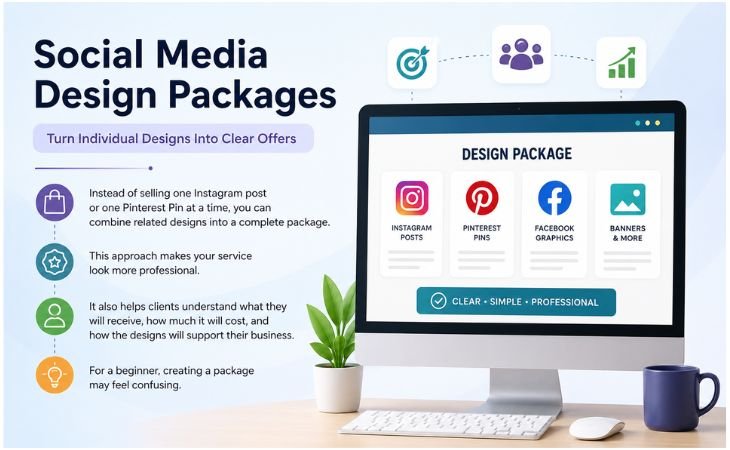
Social Media Design Packages can help freelance designers turn individual design services into clear offers that clients can easily understand and buy.
Instead of selling one Instagram post or one Pinterest Pin at a time, you can combine related designs into a complete package.
This approach makes your service look more professional.
It also helps clients understand what they will receive, how much it will cost, and how the designs will support their business.
For a beginner, creating a package may feel confusing.
You may not know how many designs to include, what platforms to cover, or how to set clear limits.
You can build an effective design package without making the process difficult or confusing.
In this guide, I will explain seven practical steps for creating professional social media design packages.
You will also learn how to avoid common mistakes that can waste your time and reduce your profit.
Understand What Social Media Design Packages Are
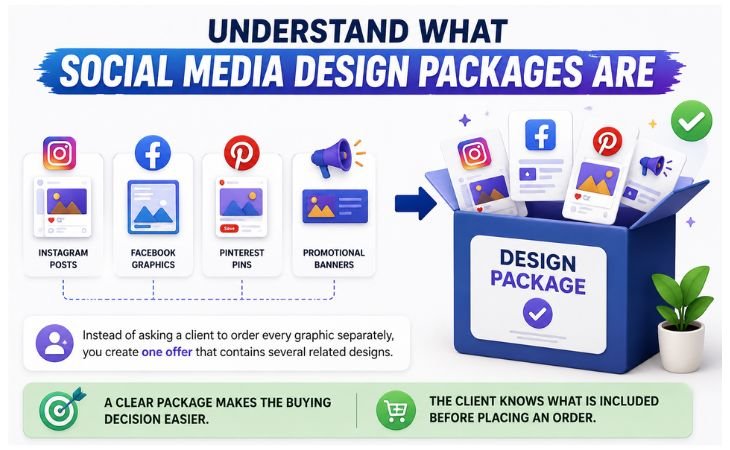
Social Media Design Packages are groups of design services sold together for a fixed price or project scope.
Instead of asking a client to order every graphic separately, you create one offer that contains several related designs.
For example, a small business may need Instagram posts, Facebook graphics, Pinterest Pins, and promotional banners every month.
You can combine these designs into one package.
A clear package makes the buying decision easier.
The client knows what is included before placing an order. You also know exactly how much work you need to complete.
Think About the Client’s Goal First
Social Media Design Packages should be built around a business goal rather than random graphics.
Ask yourself why the client needs these designs.
A new business may need brand awareness.
An online store may need product promotion. A blogger may want Pinterest graphics to drive website traffic.
Once you understand the goal, you can select the right design types.
This makes your package more useful and gives every graphic a clear purpose.
Choose the Right Platforms
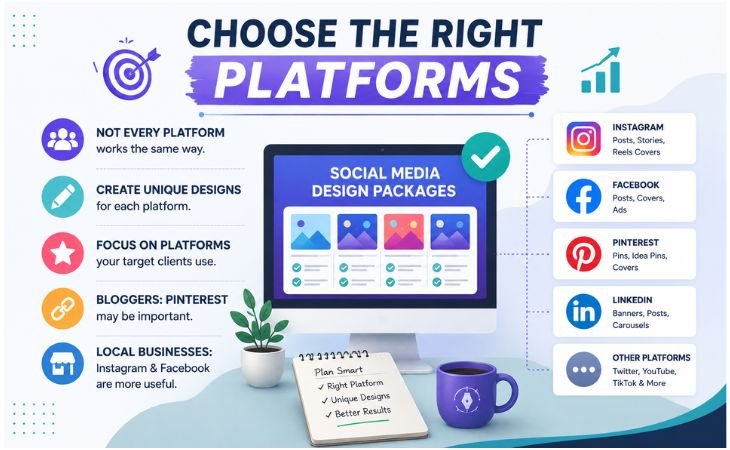
Social Media Design Packages work better when they are designed for specific platforms.
Instagram, Facebook, Pinterest, LinkedIn, and other platforms do not use content in exactly the same way.
Do not promise designs for every platform simply because you can create them.
Start with the platforms your target clients actually use.
If you work with bloggers, Pinterest may be important.
If you work with local businesses, Instagram and Facebook may be more useful. Business clients may also need LinkedIn graphics.
Create Designs for Each Platform
Social Media Design Packages should include graphics created for the correct platform format.
Avoid creating one image and resizing it without checking the layout.
Pinterest usually needs a vertical design. Instagram may require square, portrait, or Story formats.
Website banners use different dimensions again.
Check the text size, image placement, visual hierarchy, and spacing after resizing.
A professional designer makes sure the final graphic looks intentional on every platform.
Decide What Your Package Includes
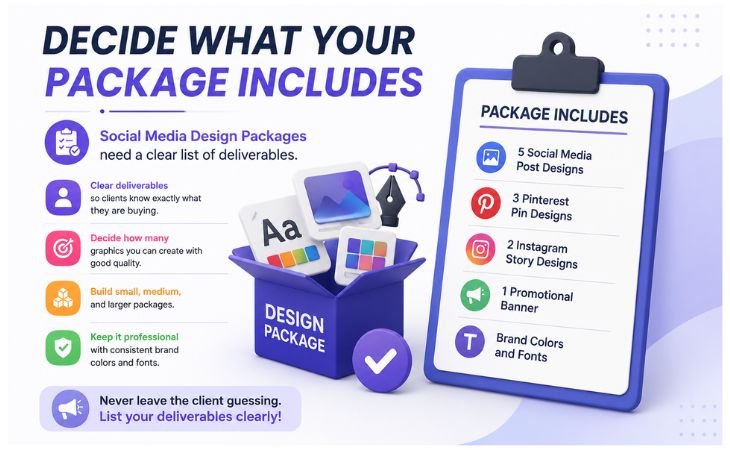
Social Media Design Packages need a clear list of deliverables.
Never leave the client guessing about what they are buying.
Start by deciding how many graphics you can realistically create while maintaining good quality.
You can then build a small, medium, and larger package.
For example, your package may include:
- 5 social media post designs
- 3 Pinterest Pin designs
- 2 Instagram Story designs
- 1 promotional banner
- Brand colors and fonts
- 1 or 2 revision rounds
- Final PNG or JPG files
Keep the list simple. A client should be able to scan the package and understand the offer within a few seconds.
Create Different Package Levels
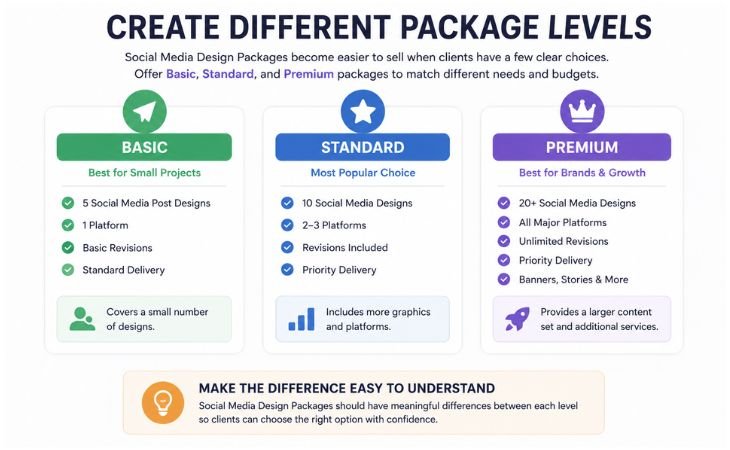
Social Media Design Packages become easier to sell when clients have a few clear choices.
One client may only need a small project, while another may need regular content for several platforms.
You can create three levels such as Basic, Standard, and Premium.
The Basic package can cover a small number of designs.
The Standard package can include more graphics or platforms. The Premium package can provide a larger content set and additional services.
Make the Difference Easy to Understand
Social Media Design Packages should have meaningful differences between each level.
Do not simply change the price.
For example, Basic could include five graphics for one platform.
Standard could include ten graphics for two platforms. Premium could include fifteen graphics across several platforms with additional revisions.
This structure allows clients to choose according to their budget and content needs.
Set Clear Boundaries and Revision Rules
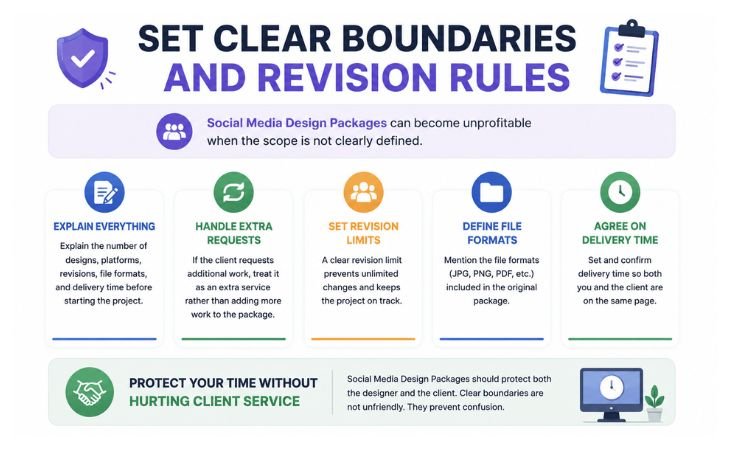
Social Media Design Packages can become unprofitable when the scope is not clearly defined.
A client may request extra graphics, repeated revisions, or additional formats that were never included in the original price.
Explain the number of designs, platforms, revisions, file formats, and delivery time before starting the project.
If the client requests additional work, treat it as an extra service rather than quietly adding more work to the original package.
Protect Your Time Without Hurting Client Service
Social Media Design Packages should protect both the designer and the client. Clear boundaries are not unfriendly. They prevent confusion.
Tell clients what counts as a revision. A small text or color change may be a revision. Creating a completely new design concept is different.
Clear expectations make the project easier to manage and help you maintain a professional relationship.
Price Your Package Based on Work and Value
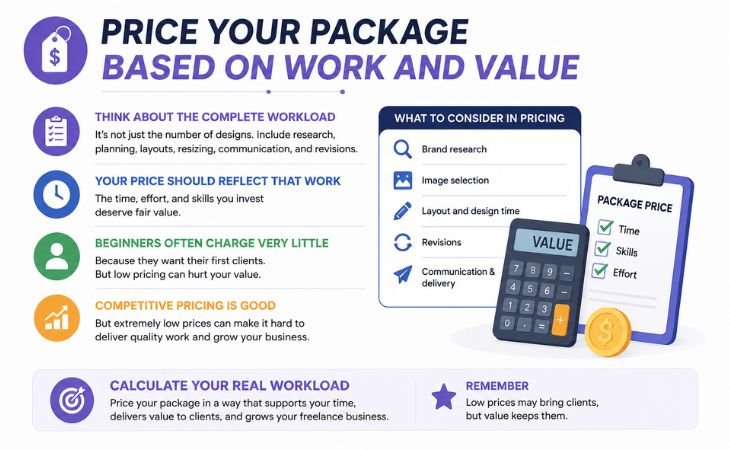
Social Media Design Packages should not be priced only by counting the number of graphics. Think about the complete workload.
You may spend time researching the brand, selecting images, creating layouts, resizing designs, communicating with the client, and completing revisions.
Your price should reflect that work.
Beginners often charge very little because they want their first clients.
Competitive pricing can help you enter the market, but extremely low prices can make it difficult to deliver quality work and grow your freelance business.
Calculate Your Real Workload
Social Media Design Packages should be profitable after you calculate your time. Set Clear Boundaries and Revision Rules
Social Media Design Packages can become unprofitable when the scope is not clearly defined.
A client may request extra graphics, repeated revisions, or additional formats that were never included in the original price.
Explain the number of designs, platforms, revisions, file formats, and delivery time before starting the project.
If the client requests additional work, treat it as an extra service rather than quietly adding more work to the original package.
Protect Your Time Without Hurting Client Service
Social Media Design Packages should protect both the designer and the client. Clear boundaries are not unfriendly. They prevent confusion.
Tell clients what counts as a revision. A small text or color change may be a revision. Creating a completely new design concept is different.
Clear expectations make the project easier to manage and help you maintain a professional relationship.
Present Your Packages Professionally
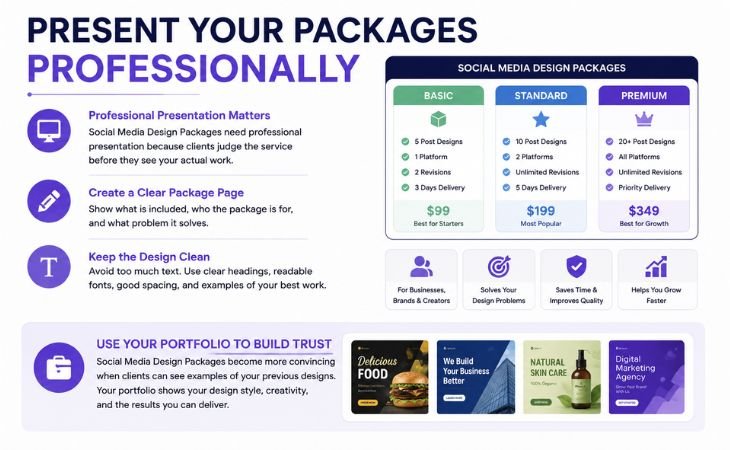
Social Media Design Packages need professional presentation because clients often judge the service before they see your actual work.
Create a clean package graphic or service page. Show what is included, who the package is for, and what problem it solves.
Avoid filling the design with too much text. Use clear headings, readable fonts, good spacing, and examples of your best work.
Use Your Portfolio to Build Trust
Social Media Design Packages become more convincing when clients can see examples of your previous designs.
Your portfolio gives them evidence of your design style and skills.
Show relevant work whenever possible. If you are selling Pinterest design services, include Pinterest Pin examples.
If you offer Instagram content, show strong Instagram graphics.
You do not need hundreds of designs.
A small collection of high quality and relevant work can create a much stronger impression than a large collection of average designs.
Common Mistakes to Avoid
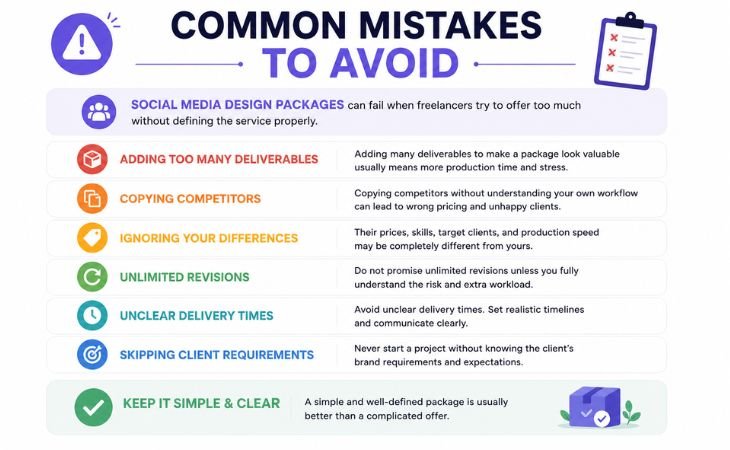
Social Media Design Packages can fail when freelancers try to offer too much without defining the service properly.
One common mistake is adding many deliverables just to make a package look valuable. More designs also mean more production time.
Another mistake is copying competitors without understanding your own workflow.
Their prices, skills, target clients, and production speed may be completely different from yours.
Do not promise unlimited revisions unless you fully understand the risk.
Avoid unclear delivery times. Never start a project without knowing the client’s brand requirements.
A simple and well-defined package is usually better than a complicated offer.
Final Thoughts
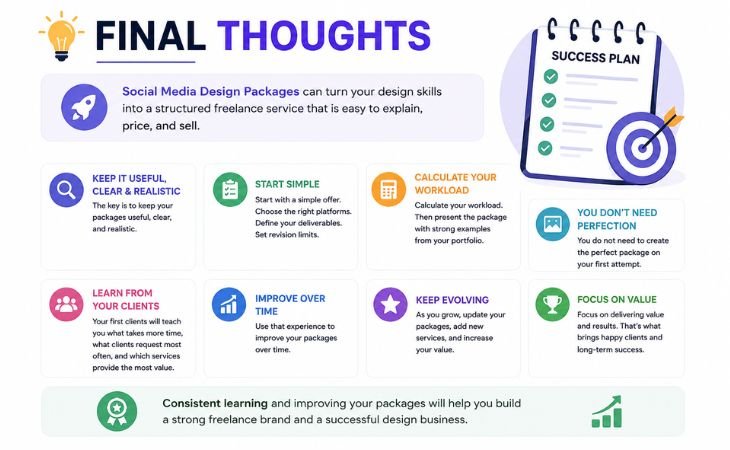
Social Media Design Packages can turn your design skills into a structured freelance service that is easier to explain, price, and sell.
The key is to keep your packages useful, clear, and realistic.
Start with a simple offer. Choose the right platforms. Define your deliverables. Set revision limits.
Calculate your workload. Then present the package with strong examples from your portfolio.
You do not need to create the perfect package on your first attempt.
Your first clients will teach you what takes more time, what clients request most often, and which services provide the most value.
Use that experience to improve your packages over time.
A strong package should not only look attractive to the client.
It should also protect your time, support consistent quality, and help you build a sustainable freelance design business.
If a package requires six hours of work, your price should make sense for six hours, not only for the number of finished images.
As your design skills, portfolio, client experience, and demand improve, you can gradually increase your pricing.
Present Your Packages Professionally
Social Media Design Packages need professional presentation because clients often judge the service before they see your actual work.
Create a clean package graphic or service page. Show what is included, who the package is for, and what problem it solves.
Avoid filling the design with too much text. Use clear headings, readable fonts, good spacing, and examples of your best work.
Use Your Portfolio to Build Trust
Social Media Design Packages become more convincing when clients can see examples of your previous designs.
Your portfolio gives them evidence of your design style and skills.
Show relevant work whenever possible. If you are selling Pinterest design services, include Pinterest Pin examples.
If you offer Instagram content, show strong Instagram graphics.
You do not need hundreds of designs.
A small collection of high quality and relevant work can create a much stronger impression than a large collection of average designs.
Common Mistakes to Avoid
Social Media Design Packages can fail when freelancers try to offer too much without defining the service properly.
One common mistake is adding many deliverables just to make a package look valuable. More designs also mean more production time.
Another mistake is copying competitors without understanding your own workflow.
Their prices, skills, target clients, and production speed may be completely different from yours.
Do not promise unlimited revisions unless you fully understand the risk.
Avoid unclear delivery times. Never start a project without knowing the client’s brand requirements.
A simple and well-defined package is usually better than a complicated offer.
Final Thoughts
Social Media Design Packages can turn your design skills into a structured freelance service that is easier to explain, price, and sell.
The key is to keep your packages useful, clear, and realistic.
Start with a simple offer. Choose the right platforms. Define your deliverables. Set revision limits.
Calculate your workload. Then present the package with strong examples from your portfolio.
You do not need to create the perfect package on your first attempt.
Your first clients will teach you what takes more time, what clients request most often, and which services provide the most value.
Use that experience to improve your packages over time.
A strong package should not only look attractive to the client.
It should also protect your time, support consistent quality, and help you build a sustainable freelance design business.
Canva Design School, Beginner Guides, Design Tips, and Official Learning Resources.