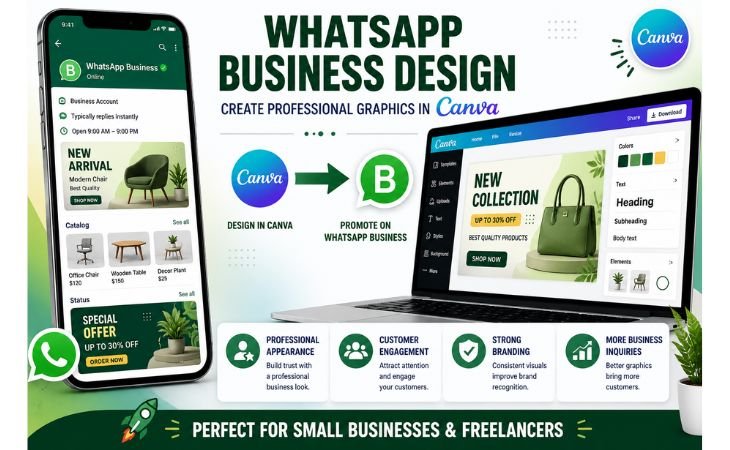
WhatsApp Business Design has become an important part of modern digital marketing for small businesses, freelancers, and local service providers.
In today’s competitive market, customers often decide within seconds whether a business looks professional and trustworthy.
A well-designed WhatsApp Business graphic can help attract attention, improve customer engagement, and communicate your message more effectively.
Whether you are promoting products, showcasing services, sharing offers, or updating your WhatsApp Status, professional visuals can make a strong first impression.
Many business owners believe they need advanced graphic design skills to create professional marketing materials. However,
Canva makes the process simple with beginner-friendly templates, drag-and-drop tools, and customizable design elements.
Learning how to create effective WhatsApp Business graphics can support your WhatsApp Business Marketing strategy, strengthen your brand identity,
and help your business stand out from competitors.
In this guide, you will learn how to create professional WhatsApp Business graphics in Canva, understand the best design practices,
and discover practical tips that can improve your business communication and customer engagement.
Why WhatsApp Business Design Matters
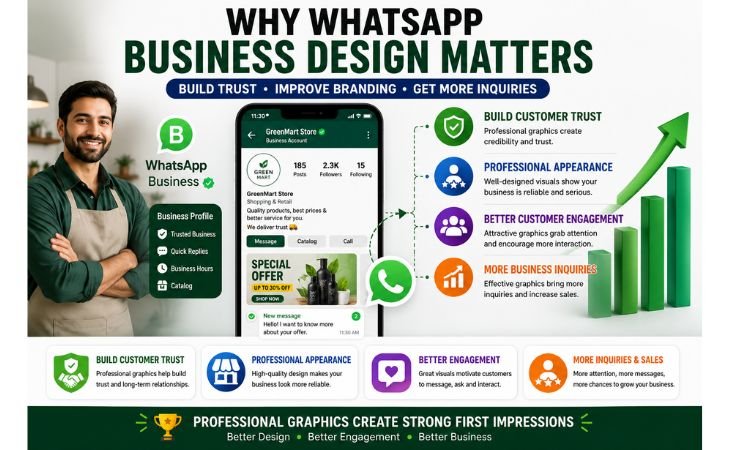
WhatsApp Business Design plays a vital role in helping businesses create a strong first impression and build trust with potential customers.
In today’s competitive digital environment, people often judge a business within seconds based on its visual presentation.
Professional and well-designed graphics can make your business appear more reliable, organized, and customer-focused.
One of the biggest advantages of effective WhatsApp Business Marketing is improved customer engagement.
Eye-catching promotional graphics, product showcases, and service announcements can capture attention quickly and encourage customers to learn more about your business.
Clear and visually appealing content also helps communicate information more effectively than plain text messages.
A consistent design style is an important part of business branding.
Using the same colors, fonts, and visual elements across your WhatsApp Business profile, status updates, and marketing materials helps strengthen brand recognition and creates a more professional appearance.
This consistency makes it easier for customers to remember your business and trust your services.
Professional promotional graphics can also generate more inquiries and improve business communication.
Whether you are advertising a special offer, showcasing products, or promoting services, well-designed visuals help customers understand your message quickly and take action.
As a result, businesses can attract more leads, improve customer interaction, and create better marketing opportunities.
In short, investing time in WhatsApp Business Design is not just about making graphics look attractive.
It is a practical strategy that supports customer engagement, strengthens business branding, improves communication, and helps businesses grow through effective WhatsApp Business Marketing.
Types of WhatsApp Business Graphics
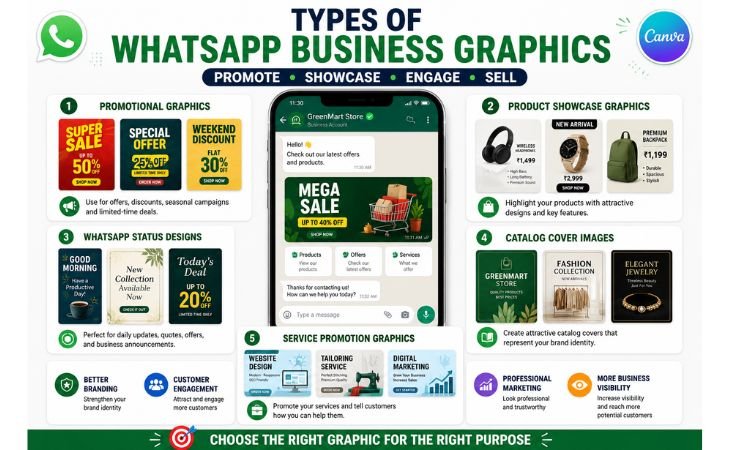
WhatsApp Business Design becomes more effective when businesses understand the different types of graphics they can use to communicate with customers.
Each graphic serves a specific purpose, from promoting products and services to improving customer engagement and strengthening brand visibility.
Using the right WhatsApp Business Graphics can make your marketing efforts more professional and impactful.
Promotional Graphics
Promotional graphics are one of the most popular forms of WhatsApp Promotional Design.
These graphics are used to announce special offers, discounts, seasonal campaigns, and limited-time deals. Well-designed promotional visuals can quickly capture attention a
nd encourage customers to take action, making them an essential part of any WhatsApp Business marketing strategy.
Product Showcase Graphics
Product showcase graphics help businesses present their products in a clear and attractive way.
These visuals often include product images, key features, pricing information, and branding elements.
Professional product graphics make it easier for customers to understand what you offer and can increase interest in your products and services.
WhatsApp Status Designs
A creative Business Status Design allows businesses to stay visible and engage with customers regularly.
WhatsApp Status updates can be used to share promotions, new arrivals, business updates, customer testimonials, and behind-the-scenes content.
Since many users check status updates daily, this feature provides an excellent opportunity to strengthen customer relationships.
Catalog Cover Images
A professional WhatsApp Catalog cover image helps create a strong first impression when customers browse your products or services.
A well-designed catalog cover should include your business name, logo, brand colors, and a clean layout that reflects your business identity.
This helps improve credibility and makes your catalog look more organized and professional.
Service Promotion Graphics
Service promotion graphics are designed to showcase the services your business provides.
Whether you offer website design, tailoring services, consulting, or digital marketing, clear service graphics can explain your offerings quickly and effectively.
These visuals help customers understand the value of your services and encourage them to contact your business for more information.
By combining these different types of WhatsApp Business Graphics, businesses can create a stronger online presence, improve customer communication,
and support their overall WhatsApp Business Design strategy.
Best WhatsApp Business Graphic Sizes in Canva
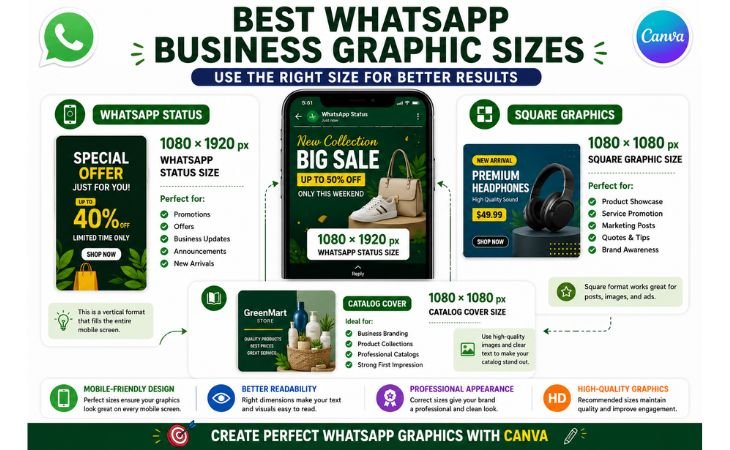
WhatsApp Business Design becomes more effective when you use the correct graphic sizes for different types of content.
Choosing the right dimensions helps maintain image quality, improves readability, and ensures your graphics look professional on all mobile devices.
Since most customers view WhatsApp content on smartphones, creating a mobile-friendly design should always be a priority.
One of the most commonly used formats is the WhatsApp Status Size, which is recommended at 1080 × 1920 pixels.
This vertical format fills the entire mobile screen and is perfect for sharing promotions, product launches, business updates, customer testimonials, and special offers.
Canva provides ready-made Canva Templates that make it easy to create professional WhatsApp Status designs without starting from scratch.
For general Social Media Graphics, a square format of 1080 × 1080 pixels works well.
Square graphics are ideal for product showcase images, promotional posts, service advertisements, and customer announcements.
This format is easy to share across WhatsApp, Instagram, Facebook, and other social media platforms while maintaining a clean and professional appearance.
When designing a WhatsApp Catalog cover image, it is important to use a high-quality square layout that clearly represents your brand.
A catalog cover should include your business name, logo, brand colors, and a simple visual style that reflects your products or services.
A professional catalog cover creates a strong first impression and encourages customers to explore your offerings.
Using the correct dimensions not only improves visual quality but also strengthens your overall WhatsApp Business Design strategy.
By combining the right sizes, professional Canva Templates,
and a mobile-friendly design approach, businesses can create attractive graphics that improve customer engagement and support effective WhatsApp Business Marketing.
Recommended WhatsApp Graphic Sizes
. WhatsApp Status Design: 1080 × 1920 pixels
. Square Promotional Graphics: 1080 × 1080 pixels
. Product Showcase Images: 1080 × 1080 pixels
. WhatsApp Catalog Cover: 1080 × 1080 pixels
. Service Promotion Graphics: 1080 × 1080 pixels
How to Create WhatsApp Business Graphics Step by Step
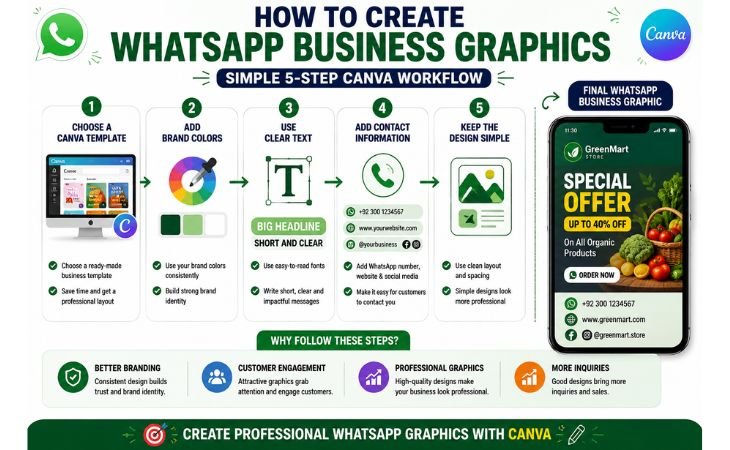
WhatsApp Business Design becomes much easier when you follow a simple step-by-step process.
Canva provides beginner-friendly tools that allow anyone to create professional Business Graphics without advanced graphic design experience.
By using the right design elements and maintaining consistent Visual Branding, you can create attractive graphics that support your marketing goals and improve customer engagement.
Choose a Canva Template
The first step is selecting one of Canva’s professionally designed Canva Templates.
Canva offers templates for promotional graphics, product showcases, WhatsApp Status designs, and business advertisements.
Starting with a template saves time and provides a strong design foundation that you can customize to match your brand.
Add Brand Colors
Consistent colors are an important part of effective visual branding.
Choose colors that reflect your business identity and use them throughout your WhatsApp Business graphics.
Consistent color schemes help strengthen brand recognition and make your marketing materials look more professional and trustworthy.
Use Clear and Readable Text
Your message should be easy to read within a few seconds.
Use simple fonts, clear headlines, and concise text that highlights the most important information.
Avoid overcrowding the design with too many words. Effective graphic design focuses on clarity, allowing customers to understand your message quickly.
Add Contact Information
Every business graphic should make it easy for customers to contact you.
Include important details such as your WhatsApp number, website address, social media handles, or business name.
Clear contact information encourages customer interaction and helps generate more inquiries from potential clients.
Keep the Design Simple
One of the most common mistakes beginners make is adding too many elements to a single graphic.
A clean and organized layout is often more effective than a complex design.
Use high-quality images, maintain proper spacing, and focus on one key message.
Simple business graphics are easier to understand and often perform better in WhatsApp Business Marketing campaigns.
By following these steps, you can create professional WhatsApp Business graphics that improve visual branding, support customer communication,
and strengthen your overall WhatsApp Business Design strategy.
Canva’s easy-to-use tools make the process accessible for beginners while helping businesses create high-quality marketing materials.
Common WhatsApp Business Design Mistakes
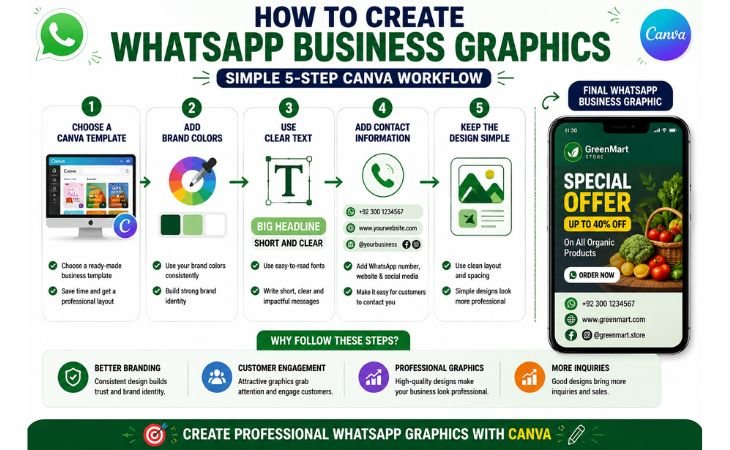
WhatsApp Business Design can help businesses create a professional image and attract more customers, but
common design mistakes can reduce its effectiveness.
Many beginners focus on adding more visual elements, yet successful business graphics are usually clean, simple, and easy to understand.
Avoiding these mistakes can improve customer engagement and strengthen your overall marketing efforts.
One of the most common examples of Poor Design is adding too much text to a graphic.
Customers typically view WhatsApp content on mobile devices, where long paragraphs become difficult to read.
A short and focused message is usually more effective than trying to communicate too much information in a single design.
Another mistake is using low-quality or blurry images.
Professional visuals create trust and make your business appear more credible.
High-resolution images help your products and services stand out, while poor-quality visuals can negatively affect customer perception and reduce engagement.
Many businesses also struggle with Cluttered Graphics.
Filling a design with too many colors, icons, images, or decorative elements can distract viewers from the main message.
A clean layout with proper spacing helps customers quickly understand the purpose of the graphic and improves the overall user experience.
Inconsistent colors and fonts can lead to Weak Branding.
When every graphic looks different, customers may find it difficult to recognize your business.
Using consistent brand colors, typography, and visual styles helps build familiarity and creates a stronger brand identity over time.
Another important mistake is using Unreadable Text. Small font sizes, poor color contrast, or complicated font styles can make graphics difficult to understand.
Always choose clear fonts and ensure there is enough contrast between the text and the background so customers can read the message easily.
Finally, many businesses forget to include a clear call-to-action (CTA).
Customers should know exactly what to do after viewing your graphic, whether it is sending a message, visiting your website, browsing your catalog, or contacting your business.
A simple CTA can significantly improve customer interaction and generate more inquiries.
By avoiding these common WhatsApp Business Design mistakes, businesses can create more effective marketing materials, improve communication, strengthen branding,
and achieve better results through professional WhatsApp Business Graphics.
Tips for Better Customer Engagement
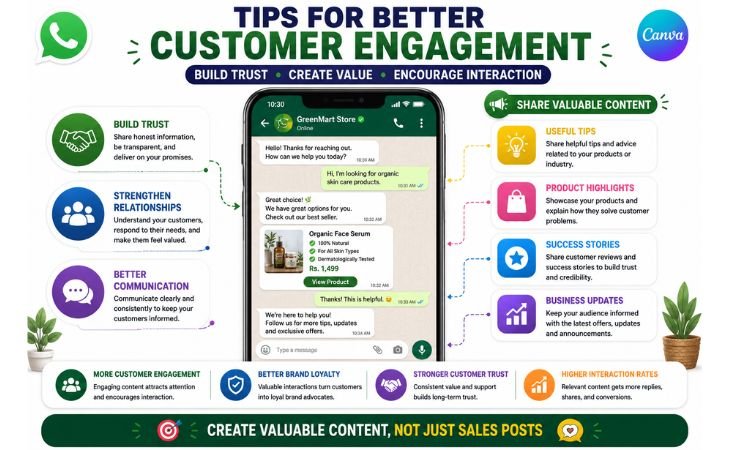
WhatsApp Business Design is not only about creating attractive graphics.
The main goal is to improve Customer Engagement, strengthen relationships with potential customers, and encourage meaningful interactions.
Well-designed visuals can help businesses communicate more effectively and support a successful WhatsApp Marketing strategy.
One of the best ways to improve customer engagement is to create valuable and relevant Promotional Content.
Instead of constantly focusing on sales, share useful tips, product highlights, customer success stories, and business updates that provide value to your audience.
This approach helps build trust and keeps customers interested in your brand.
Consistency is another important factor in effective Business Communication.
Using the same colors, fonts, and design style across your WhatsApp graphics creates a professional image and makes your business easier to recognize.
Consistent branding helps customers remember your business and improves overall brand awareness.
Interactive content can also increase engagement.
Encourage customers to reply to your status updates, ask questions, participate in polls, or contact you for more information.
The more interaction your business receives, the stronger your customer relationships can become.
A clear call-to-action should be included in every graphic.
Whether you want customers to send a message, browse your catalog, request a quote, or visit your website, a simple CTA helps guide them toward the next step and improves conversion opportunities.
If you want to build a stronger online presence beyond WhatsApp, consider creating a professional website that supports your marketing efforts
and gives customers a central place to learn more about your business.
 Need a professional business website to support your WhatsApp marketing efforts?
Explore our WordPress Website Design Services.
You can also learn more about creating effective online visuals by reading our related guides on Canva for Beginners,
How to Create Pinterest Pins in Canva, and How to Design YouTube Thumbnails in Canva.
These resources will help you improve your digital marketing skills and create more professional business graphics.
By combining strong WhatsApp Business Design, valuable promotional content,
and consistent business communication, companies can improve customer engagement, attract more inquiries, and build long-term relationships with their audience.
Final Thoughts
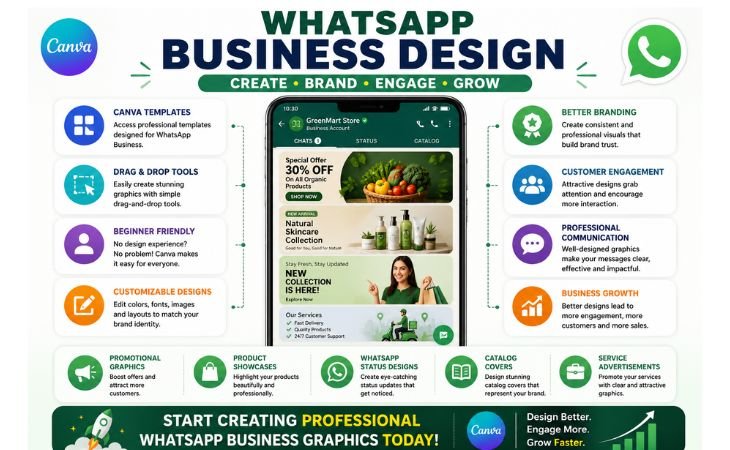
WhatsApp Business Design is a valuable skill for small business owners, freelancers, marketers, and anyone looking to improve their online presence.
Throughout this guide, you have learned how professional Canva Graphics can support customer communication, strengthen Visual Branding,
and contribute to a more effective Business Marketing strategy.
Creating professional business graphics is no longer limited to experienced designers.
Canva provides beginner-friendly templates, simple drag-and-drop tools, and customizable design elements that make graphic creation accessible to everyone.
Whether you want to design promotional graphics, product showcases, WhatsApp Status updates, catalog covers, or service advertisements, Canva offers everything you need to get started.
The key to success is consistent practice.
The more you experiment with layouts, colors, typography, and branding elements, the more confident you will become in creating professional WhatsApp Business graphics.
Start with simple designs, focus on delivering clear messages, and gradually develop your own visual style that reflects your brand identity.
Remember that effective WhatsApp Business Design is not just about making graphics look attractive.
It is about building trust, improving customer engagement, strengthening brand recognition, and helping customers understand your products or services more easily.
If you are new to Canva, continue exploring its features and templates to improve your design skills.
You can learn more and start creating your own business graphics by visiting the official Canva website:
Canva Official Website: https://www.canva.com�
With the right design approach, consistent branding, and a focus on customer value, WhatsApp Business graphics can become a powerful tool for growing your business
and enhancing your digital marketing efforts.