Canva Logo and Banner Design is an essential skill for beginners who want to create professional branding materials without hiring a graphic designer or investing in expensive design software.
Whether you are building a personal brand, promoting a small business, managing social media accounts, or starting a freelancing business, learning how to design simple logos
and banners can help you create a strong visual identity.
In this lesson, you will learn the basics of logo and banner design using Canva’s beginner-friendly tools and templates.
You will discover how to create clean, professional-looking designs, choose suitable fonts and colors, and build branding elements that represent your business or personal project effectively.
Canva makes the design process simple by providing ready-made templates, drag-and-drop editing tools, and thousands of design resources that beginners can use without prior graphic design experience.
By following a simple workflow, you can create attractive logos and banners in just a few steps.
Understanding basic branding principles is also important because your logo and banner are often the first things people notice about your business.
A clear and consistent design helps improve brand recognition, build trust, and create a more professional appearance across websites, social media platforms, and marketing materials.
By the end of this lesson, you will understand how to design simple logos and banners in Canva and apply basic branding techniques to create professional visuals that support your business, website,
or personal brand.
What Are Logos and Banners?
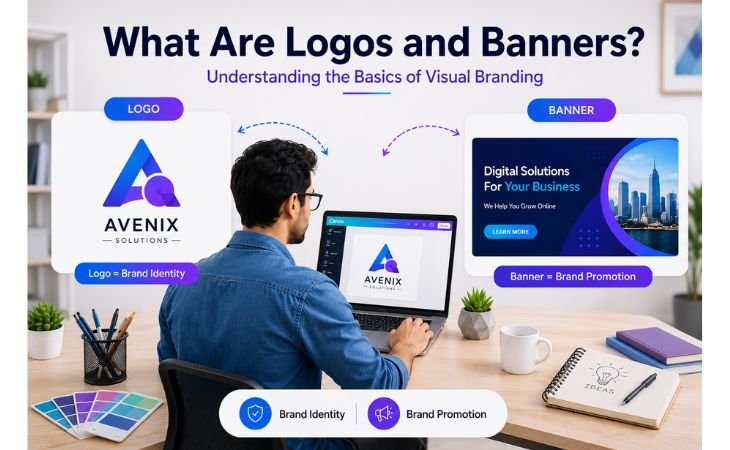
Canva Logo and Banner Design starts with understanding the purpose of logos and banners and how they support a strong brand identity.
These two visual elements are among the most important branding assets for businesses, websites, social media profiles, and marketing campaigns.
A logo is a visual symbol that represents a business, personal brand, organization, or project.
It helps people recognize and remember your brand while creating a professional and trustworthy image.
A well-designed logo is usually simple, memorable, and consistent across different platforms.
A banner is a larger graphic used to promote a brand, product, service, or message.
Banners are commonly used on websites, social media pages, online advertisements, YouTube channels, and business profiles.
An effective banner combines clear text, attractive visuals, and brand colors to capture attention and communicate information quickly.
Together, logos and banners play a major role in visual branding and online marketing.
They help create a consistent brand appearance, improve brand recognition, and make a business look more professional.
Whether you are building a personal brand, managing a small business, or starting a freelance career,
learning the basics of logo and banner design is an important step toward creating a strong visual identity.
Why Canva Is Useful for Logo and Banner Design
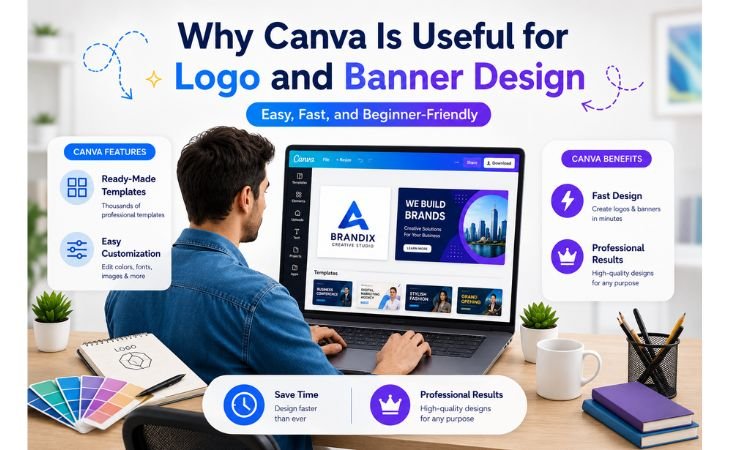
Canva Logo and Banner Design has become popular among beginners, freelancers, small business owners, and content creators because it makes the design process simple, fast,
and accessible.
Unlike traditional graphic design software that often requires technical skills and extensive training, Canva provides an easy-to-use platform where anyone can create professional branding materials in minutes.
One of Canva’s biggest advantages is its large collection of ready-made templates.
Users can choose from thousands of logo templates, banner designs, social media graphics, and marketing materials, making it easier to start a project without designing everything from scratch.
This saves time while helping beginners create visually appealing designs.
Canva also offers a drag-and-drop editor that allows users to customize fonts, colors, icons, images, and layouts with just a few clicks.
This beginner-friendly workflow makes logo creation and banner design much easier for people who have little or no graphic design experience.
Another reason Canva is useful for branding is its ability to maintain visual consistency across different platforms.
Users can create matching logos, website banners, social media graphics, and promotional materials that strengthen brand recognition and improve professional appearance.
Whether you are building a personal brand, promoting a business, creating marketing content, or offering freelance design services, Canva provides practical tools that help you create professional logos
and banners quickly, efficiently, and with confidence.
Best Logo and Banner Sizes in Canva
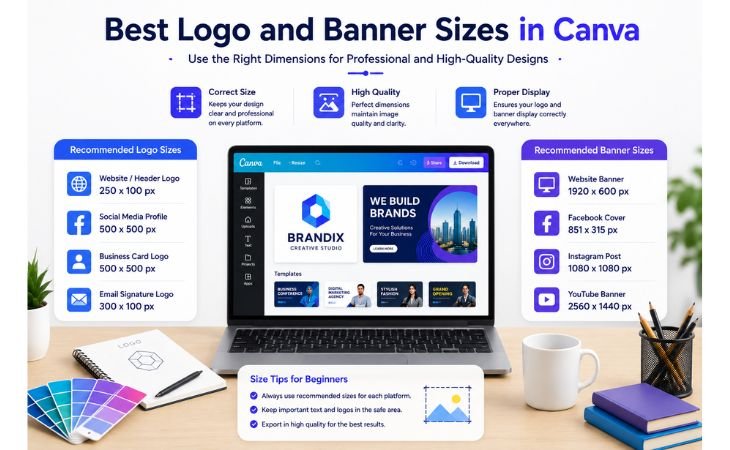
Canva Logo and Banner Design becomes much more effective when you use the correct dimensions for each platform.
Choosing the right size helps your designs look professional, maintain image quality, and display properly across websites, social media platforms, and marketing channels.
A logo should remain clear and recognizable whether it appears on a business card, website header, social media profile, or promotional material.
Similarly, banners need the correct dimensions to ensure that important text, images, and branding elements are displayed without being cropped or distorted.
Below are some of the most commonly used logo and banner sizes for beginners:
Logo Sizes
500 × 500 px – Simple business logos
1000 × 1000 px – High-quality logo designs
2000 × 2000 px – Professional logos for multiple uses
Website Banner Sizes
1200 × 400 px – Standard website banner
1920 × 600 px – Full-width hero banner
1500 × 500 px – Promotional website banner
Social Media Banner Sizes
LinkedIn Banner: 1584 × 396 px
Facebook Cover: 820 × 312 px
YouTube Channel Banner: 2560 × 1440 px
X (Twitter) Header: 1500 × 500 px
Marketing Banner Sizes
1080 × 1080 px – Square promotional graphic
1080 × 1350 px – Instagram portrait banner
1080 × 1920 px – Story banner design
One of Canva’s biggest advantages is that it provides ready-made templates with pre-set dimensions.
This allows beginners to create professional logos, website banners, social media headers, and promotional graphics without worrying about manual sizing adjustments.
By selecting the correct dimensions from the start, you can improve visual consistency, strengthen brand identity, and ensure your designs look polished across all digital platforms.
How to Design a Simple Logo in Canva
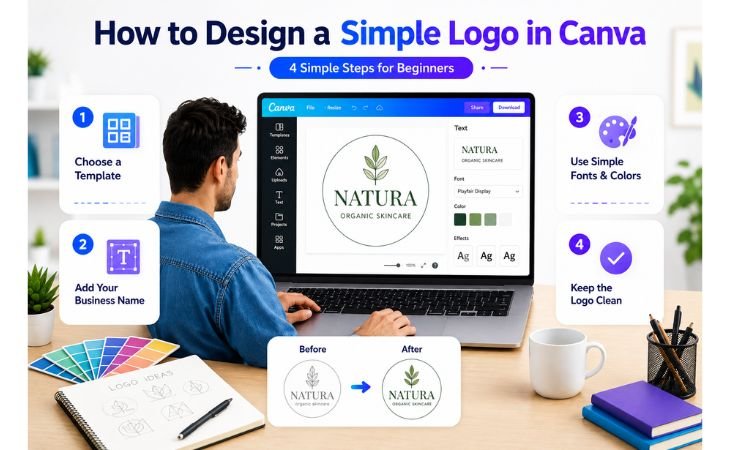
Canva Logo and Banner Design becomes much easier when you follow a simple step-by-step process.
The best logos are often simple, memorable, and easy for people to recognize.
In fact, the most recognizable logos are often simple, clean, and easy to remember.
Canva provides beginner-friendly tools that help users create professional logos without advanced graphic design skills.
Choose a Logo Template
The easiest way to start is by selecting a logo template from Canva’s extensive template library.
Canva offers thousands of professionally designed logo templates for businesses, personal brands, online stores, freelancers, and content creators.
Choosing a template gives you a strong starting point and saves time compared to designing a logo from scratch.
Add Your Business Name
Once you have selected a template, replace the sample text with your business name, brand name, or personal brand identity.
Make sure the text is easy to read and clearly represents your brand.
A logo should help people instantly recognize who you are and what your business stands for.
Use Simple Fonts and Colors
One of the most common beginner mistakes is using too many fonts and colors.
Professional logos usually use one or two fonts and a limited color palette.
Consistent fonts and brand colors improve visual identity, strengthen brand recognition, and create a more professional appearance across websites, social media platforms, and marketing materials.
Keep the Logo Clean
A clean logo is often more effective than a complex one.
Avoid adding too many icons, shapes, effects, or decorative elements. Focus on simplicity, balance, and readability.
A well-designed logo should look professional whether it appears on a website, business card, social media profile, banner, or promotional graphic.
By following these simple logo design principles, beginners can create attractive and professional logos that support their branding efforts and help build a memorable visual identity.
How to Design a Simple Banner in Canva
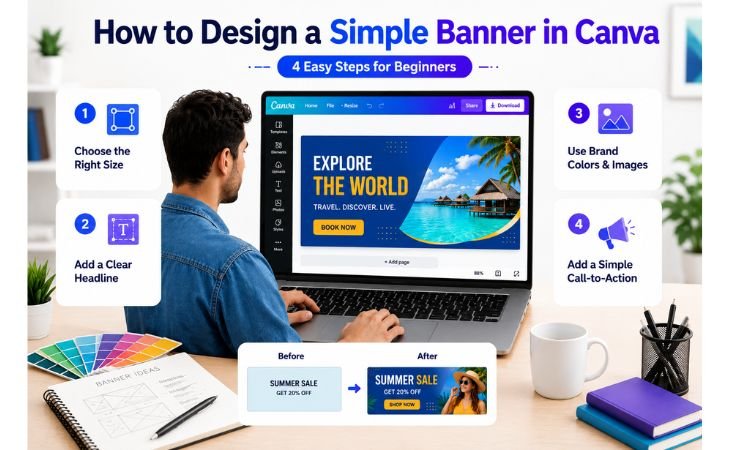
Canva Logo and Banner Design becomes even more powerful when you learn how to create professional banners that attract attention and communicate your message clearly.
Whether you are designing a website banner, social media cover, promotional graphic, or advertising banner,
following a few simple design principles can help you create visually appealing and effective results.
Choose the Right Banner Size
The first step is selecting the correct banner dimensions for your platform. Different platforms require different sizes to display properly.
Canva offers pre-sized templates for websites, Facebook covers, LinkedIn banners, YouTube channel art, and promotional graphics.
Using the correct dimensions helps maintain image quality and prevents important content from being cropped.
Add a Clear Headline
banner should immediately communicate its main message.
Use a short, clear, and attention-grabbing headline that tells viewers what the banner is about.
Whether you are promoting a product, service, event, or personal brand, the headline should be easy to read and visible even from a distance.
Use Brand Colors and Images
Consistent branding is essential for professional design. Select design elements that reflect your brand personality and create a consistent visual style.
High-quality visuals combined with a consistent color scheme help strengthen brand recognition and create a more trustworthy and professional appearance across websites and social media platforms.
Add a Simple Call-to-Action
An effective banner encourages viewers to take action. Include a simple call-to-action (CTA) such as “Learn More,” “Contact Us,” “Shop Now,” or “Get Started.”
A clear CTA guides users toward the next step and can improve engagement, clicks, and conversions.
By following these banner design best practices, beginners can create professional banners that improve visual branding, increase audience engagement,
and support digital marketing goals without needing advanced graphic design experience.
Common Logo and Banner Design Mistakes
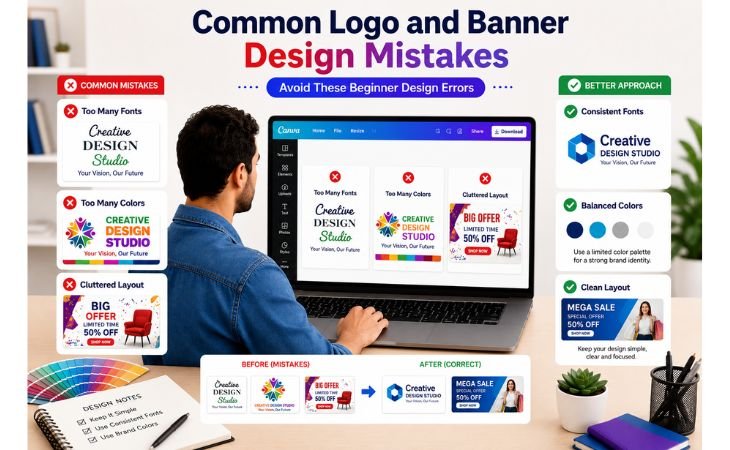
Canva Logo and Banner Design can help beginners create professional branding materials, but many new designers make mistakes that reduce the effectiveness of their work.
Understanding these common design errors can help you create cleaner, more professional logos and banners that strengthen your brand identity and improve visual communication.
Using Too Many Fonts
One of the most common mistakes is combining several different fonts in a single design.
Too many font styles can make a logo or banner look unorganized and difficult to read.
Professional branding usually works best with one primary font and one supporting font that complement each other.
Choosing Too Many Colors
A large color palette may seem creative, but it often creates visual confusion.
Successful brands usually rely on a limited set of colors to maintain consistency and improve brand recognition.
Using two to four carefully selected colors often produces a cleaner and more professional design.
Adding Too Many Design Elements
Beginners sometimes fill their designs with excessive icons, shapes, images, and effects.
While creativity is important, overcrowded designs can distract viewers from the main message.
A simple and balanced layout is often more effective than a design packed with unnecessary elements.
Ignoring Readability
A beautiful design loses value if people cannot easily read the text.
Small font sizes, poor color contrast, and busy backgrounds can make logos and banners difficult to understand.
Always prioritize clarity and readability, especially for marketing materials and social media graphics.
Inconsistent Branding
Using different fonts, colors, and styles across logos, banners, and marketing materials can weaken your brand identity.
Consistency helps build trust and makes your business easier to recognize across websites, social media platforms, and promotional content.
If you are new to Canva, you may also find our lesson “Canva Fonts, Colors, and Elements Basics” helpful, as it explains how to choose fonts, colors, and design elements that work together professionally.
By avoiding these common mistakes, beginners can create more effective logos and banners that support professional branding, improve audience engagement, and build a stronger visual identity.
Tips for Better Branding
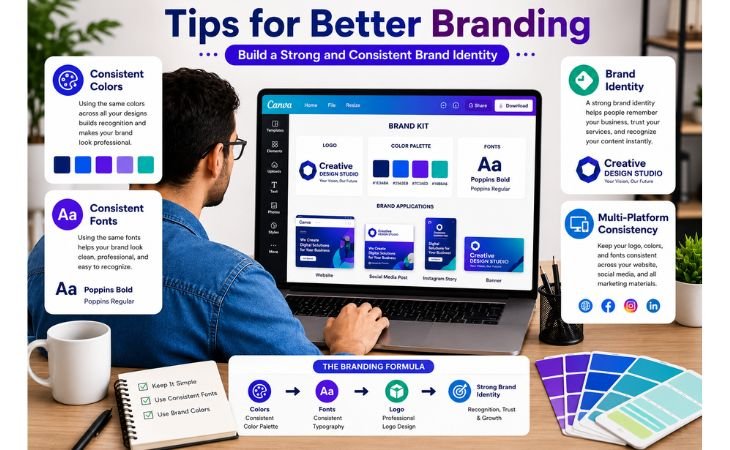
Canva Logo and Banner Design is not only about creating attractive graphics; it is also about building a strong and recognizable brand.
Effective branding helps people remember your business, trust your services, and recognize your content across different platforms.
By following a few simple branding principles, beginners can create a more professional and consistent visual identity.
Use Consistent Colors
Choosing a consistent color palette is one of the most important branding decisions.
Using the same colors across your logo, banners, website, and social media graphics helps strengthen brand recognition and creates a professional appearance.
Consistency makes your content easier to identify and remember.
Choose Readable Fonts
Fonts play a major role in visual communication.
Select fonts that are clean, easy to read, and suitable for your brand personality.
Avoid switching between multiple font styles in different designs.
Consistent typography helps create a unified and professional brand image.
Keep Your Design Style Consistent
Your logo, banners, social media posts, and marketing materials should follow a similar design style.
Consistent layouts, icons, colors, and visual elements help build trust and make your brand look more established.
A recognizable design style can make a significant difference in how people perceive your business.
Focus on Simplicity
Many successful brands use simple logos and clean design layouts.
A simple design is easier to remember, looks professional, and works well across different platforms.
Avoid unnecessary effects, excessive colors, and cluttered layouts that distract from your message.
Create a Strong Visual Identity
A strong visual identity helps your audience connect with your brand.
Every design element should support your brand message and values.
When your branding is consistent, professional, and easy to recognize, people are more likely to trust your business and engage with your content.
If you are new to Canva, you can also read our Canva Course for Beginners to learn the complete step-by-step process of creating professional graphics, branding materials, and marketing designs using Canva.
By applying these branding tips consistently, beginners can create logos, banners, and marketing graphics that look professional, improve brand recognition, and support long-term business growth.
Final Thoughts
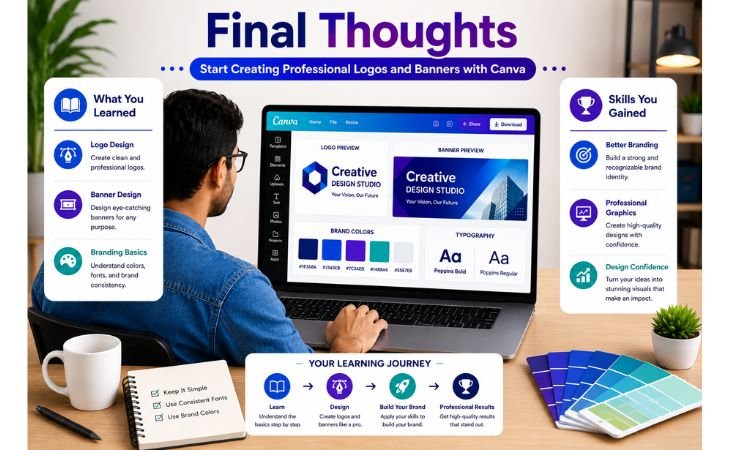
Canva Logo and Banner Design is one of the most valuable skills beginners can learn to build a professional online presence.
Whether you are creating graphics for a personal brand, a small business, social media marketing, or freelance services,
understanding the basics of logo and banner design can help you create a strong and memorable visual identity.
Throughout this lesson, we explored the importance of logos and banners, recommended design sizes, beginner-friendly Canva tools, branding best practices, and common mistakes to avoid.
By applying these simple design principles, you can create professional graphics that look clean, attractive, and consistent across different platforms.
The key to successful branding is not creating complicated designs. Instead, focus on clarity, consistency, readability, and visual balance.
A well-designed logo and banner can improve brand recognition, build trust with your audience, and support long-term business growth.
Remember that design skills improve with regular practice.
The more logos, banners, and marketing graphics you create, the more confident and creative you will become.
Canva provides an excellent environment for beginners to learn graphic design without expensive software or advanced technical knowledge.
If you want to continue improving your Canva skills, explore the official Canva learning resources and keep practicing new design projects regularly.
Consistent learning and hands-on experience will help you create professional-quality branding materials and open new opportunities in freelancing, content creation, and digital marketing.
Continue Learning with Canva:
Visit the official Canva website to explore templates, design tools, and free learning resources:
Pingback: Creating a Simple Canva Portfolio: 7 Proven Tips