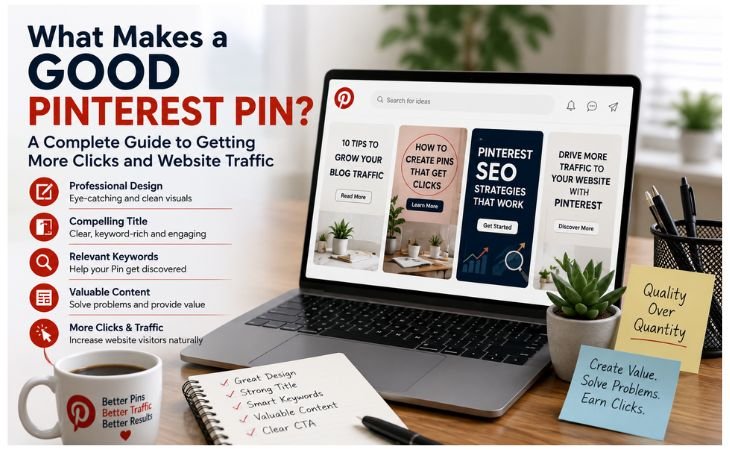
What Makes a Good Pinterest Pin? A successful Pinterest Pin is much more than an attractive image.
It is a combination of professional design, a compelling title, relevant Pinterest keywords, and valuable content that encourages people to click and explore more.
Since Pinterest works as a visual search engine, every Pin should be created with both users and search algorithms in mind.
Whether you are a blogger, freelancer, business owner, or content creator, a well-designed Pinterest Pin can increase organic website traffic, improve Pinterest SEO,
and help your content stay visible for months.
Instead of focusing on creating more Pins, focus on creating high-quality Pins that solve a problem, match user search intent, and provide a clear reason to click.
This article is based on my personal experience with Pinterest.
The strategies and tips I share here have helped me improve my website’s growth and attract more organic traffic over time.
My goal is to share what has worked for me so you can apply these same principles to your own website, avoid common mistakes, and achieve better results with Pinterest Marketing.
In this guide, you will learn the essential elements of a high-performing Pinterest Pin, the common mistakes to avoid,
and proven best practices that can help you earn more clicks, grow your audience, and achieve long-term success with Pinterest Marketing.
Why a Good Pinterest Pin Matters
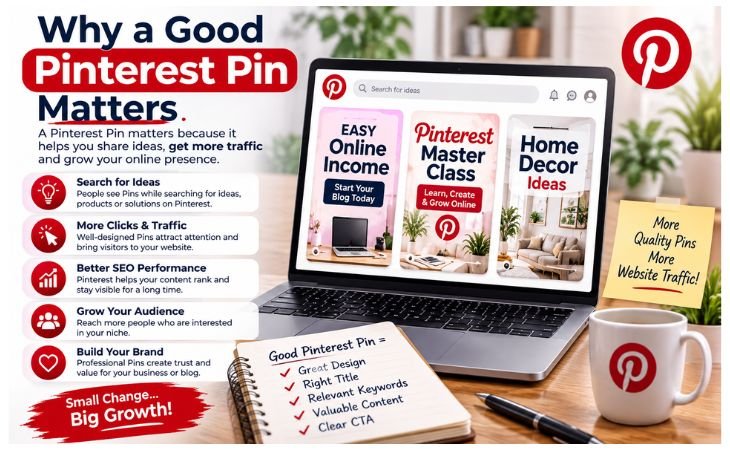
What Makes a Good Pinterest Pin? A Pinterest Pin is much more than a beautiful image. It is the first thing people see when they search for ideas, products, or solutions on Pinterest.
Within just a few seconds, users decide whether to click on your Pin or continue scrolling.
That is why your Pin creates the first impression of your content, your brand, and your website.
A well-designed Pinterest Pin grabs attention with a clear title, professional design, relevant keywords, and valuable information.
These elements work together to improve Pinterest SEO, increase click-through rates (CTR), and attract visitors who are genuinely interested in your content.
A high-quality Pin not only looks attractive but also communicates exactly what users will gain by clicking on it.
Whether you are promoting a blog post, product, service, or online business, every Pinterest Pin should be designed with a purpose.
A strong first impression helps build trust, encourages more saves and clicks, and increases your chances of generating long-term organic website traffic.
Instead of thinking of a Pin as just another graphic, think of it as a powerful marketing asset that can continue bringing visitors to your website for months or even years.
What Makes a Good Pinterest Pin?
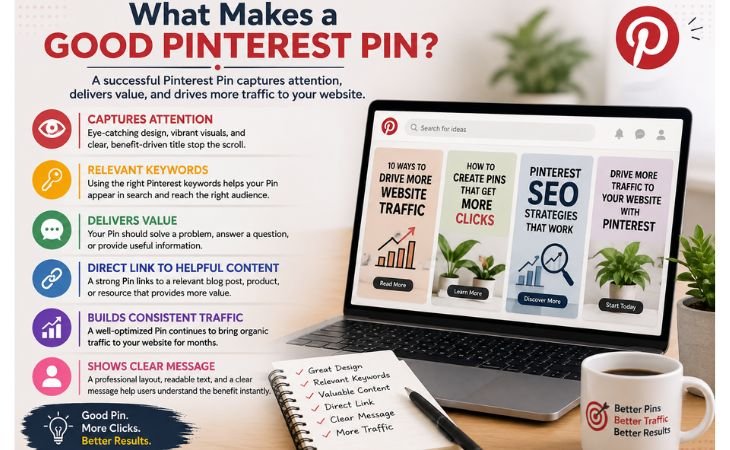
What Makes a Good Pinterest Pin? A successful Pinterest Pin is one that captures attention, encourages users to click, and delivers value after they visit your website.
It is not just about creating a beautiful graphic. A high-performing Pin combines an eye-catching design, a clear and benefit-driven title, relevant Pinterest keywords, and a direct link to helpful content.
When these elements work together, your Pin becomes easier to discover in Pinterest search and more likely to generate consistent organic traffic.
Every Pinterest user is looking for ideas, inspiration, or solutions. Your Pin should immediately show what problem it solves or what benefit it offers.
A professional layout, readable text, high-quality visuals, and a clear message help your content stand out among thousands of other Pins.
At the same time, keyword optimization allows Pinterest to understand your content and show it to the right audience.
The best Pinterest Pins are designed for both people and search engines.
They attract attention through strong visuals, earn clicks with compelling titles, and keep driving long-term website traffic because they are optimized with Pinterest SEO best practices.
Whether you are promoting a blog post, online service, digital product, or business, creating high-quality
Pinterest Pins is one of the most effective ways to increase your online visibility and grow your audience over time.
Write a Clear and Compelling Title
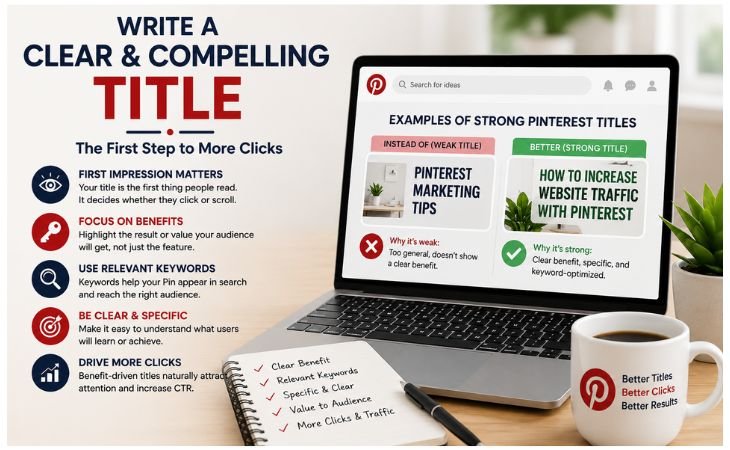
What Makes a Good Pinterest Pin? One of the most important elements of a successful Pinterest Pin is its title.
Your title is often the first piece of text users read, and it plays a major role in whether they decide to click or keep scrolling.
A strong Pinterest title should clearly explain the benefit of your content, include relevant keywords, and instantly tell users what they will learn or achieve.
Instead of describing only a feature, focus on the result or value your audience will receive.
For example, “How to Increase Website Traffic with Pinterest” is more compelling than “Pinterest Marketing Tips” because it promises a clear benefit.
Benefit-driven titles naturally attract more attention and encourage higher click-through rates.
Best Practices for Writing Pinterest Titles
. Focus on benefits, not just features. Tell users what problem you will solve or what result they can expect.
. Use searchable Pinterest keywords. Include your primary keyword naturally so your Pin can appear in Pinterest search results.
.Keep your title simple and easy to read. Avoid complicated words and make the message clear within a few seconds.
. Solve one specific problem. A focused title performs better than a broad or confusing one because users immediately understand its value.
A clear, keyword-optimized title helps both users and the Pinterest algorithm understand your content.
Combined with a professional design and valuable information, it increases your chances of earning more clicks, improving Pinterest SEO, and driving consistent organic website traffic over time.
Create a Professional Pin Design
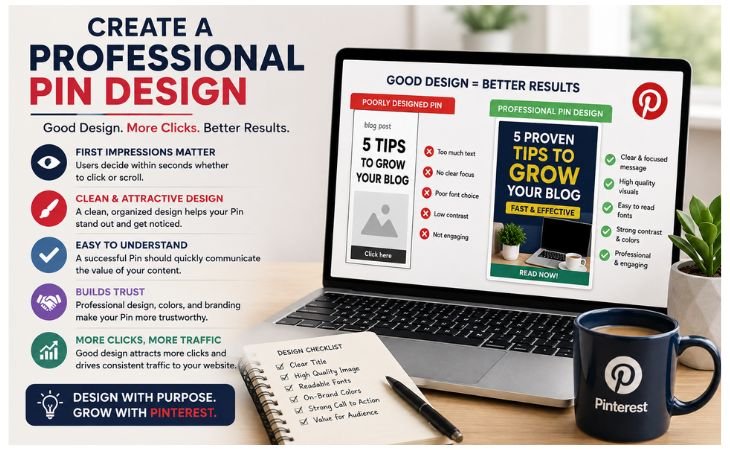
What Makes a Good Pinterest Pin? A professional Pin design is one of the biggest factors that determines whether people click on your content.
Even if your article is valuable, a poorly designed Pin can easily be ignored.
Since Pinterest is a visual search engine, users make quick decisions based on what they see first.
A clean, attractive, and well-organized design helps your Pin stand out, builds trust, and encourages more clicks.
A successful Pinterest Pin should be easy to understand at a glance.
Every design element, from colors and fonts to spacing and branding, should work together to create a clear visual message.
Your goal is not to add more design elements but to present your content in a simple, professional, and user-friendly way.
Best Practices for Designing Professional Pinterest Pins
Use a clean layout. Avoid clutter and leave enough white space so your Pin looks organized and easy to scan.
Choose readable fonts. Select simple fonts with a clear hierarchy so your title can be read easily, even on mobile devices.
Maintain brand consistency. Use the same logo, color palette, typography, and design style across every Pin to build brand recognition.
Use proper colors. Choose colors with strong contrast that make your title stand out while keeping the overall design professional and visually appealing.
Create a clear visual hierarchy. Make the most important information, such as the title, the first thing users notice. Use font size, spacing, and positioning to guide the reader’s eye.
Design for mobile users. Most Pinterest users browse on smartphones, so create vertical Pins with large text, clear visuals, and a layout that remains readable on smaller screens.
A professional Pinterest Pin does more than look attractive.
It improves Pinterest SEO, strengthens your brand identity, increases click-through rates, and helps generate long-term organic website traffic.
When you consistently publish high-quality, mobile-friendly Pins, you build trust with both users and the Pinterest algorithm, giving your content a better chance to perform well over time.
Use the Right Pinterest Keywords
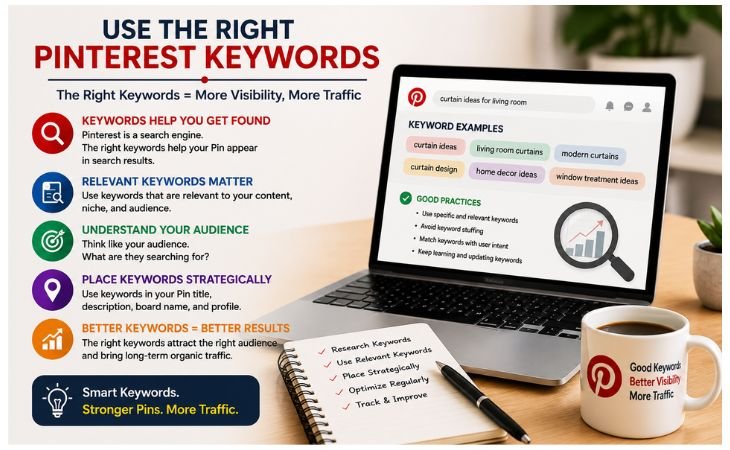
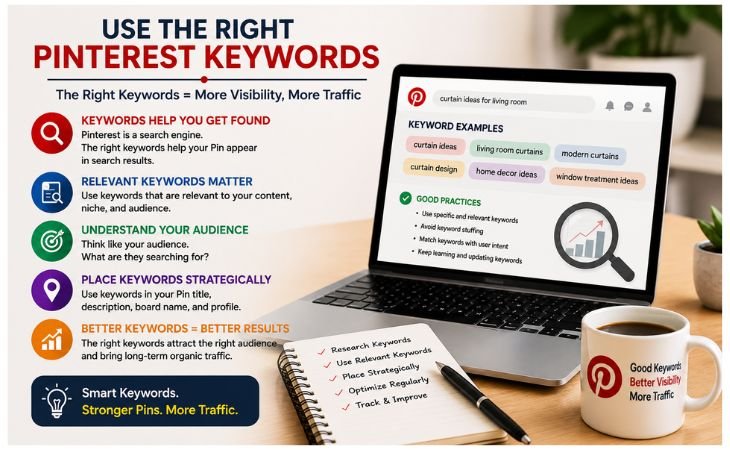
What Makes a Good Pinterest Pin? Using the right Pinterest keywords is one of the most important parts of Pinterest SEO.
Even the most beautiful Pin may never appear in search results if it is not optimized with relevant keywords.
Pinterest uses keywords to understand your content and decide when to show your Pin to people searching for specific topics.
When you use the right keywords in the right places, your Pins become easier to discover, attract the right audience, and generate long-term organic website traffic.
Keyword optimization is more than adding a few popular search terms.
It starts with understanding what your audience is searching for and then naturally including those keywords throughout your Pin and the page it links to.
A well-optimized Pin helps both users and the Pinterest algorithm understand your content, increasing your chances of earning more impressions, saves, and clicks.
Where to Use Pinterest Keywords
. Keyword Research: Start by finding relevant Pinterest keywords that match your audience’s search intent. Choose keywords with good search volume that accurately describe your content.
. Pin Title: Include your primary keyword naturally in the Pin title. A clear, benefit-driven title helps users understand your content and improves Pinterest SEO.
. Pin Description: Write a detailed, keyword-rich description that explains the value of your content while using natural language instead of keyword stuffing.
. Board Name: Save your Pin to a relevant board with an SEO-friendly board name. This gives Pinterest additional context about your content.
. File Name: Before uploading your Pin, rename the image file using descriptive keywords, such as
what-makes-a-good-pinterest-pin.jpg, to improve overall content organization and SEO.
. Linked Page: Make sure the blog post or landing page connected to your Pin includes the same primary keyword in the SEO title, headings, URL, meta description, image alt text, and content.
Consistent keyword usage helps strengthen the connection between your Pin and your website.
Using the right Pinterest keywords across your entire content strategy creates strong topical relevance, improves Pinterest SEO, increases search visibility,
and helps your Pins continue driving organic website traffic for months or even years.
Use High-Quality Images
What Makes a Good Pinterest Pin? High-quality images are one of the most important elements of a successful Pinterest Pin.
Since Pinterest is a visual search engine, users often decide whether to click based on the image before they even read the title.
A clear, attractive, and professional image immediately captures attention, builds trust, and encourages users to explore your content.
Your image should support your message instead of distracting from it.
Whether you use photography, illustrations, or custom graphics, every visual should look clean, relevant, and easy to understand.
High-quality images also improve user experience and help your Pins perform better in Pinterest SEO by increasing engagement and click-through rates.
Best Practices for Choosing Pinterest Images
Use vertical images. Pinterest recommends a vertical design because it takes up more space in the feed and attracts more attention.
A 2:3 aspect ratio (such as 1000 × 1500 pixels) works best for most Pins.
Choose clear visuals. Every image should be sharp, bright, and easy to understand. Users should immediately recognize what your content is about.
Create professional graphics. Use clean layouts, readable typography, consistent branding, and high-quality design elements to make your Pins look trustworthy and professional.
Use lifestyle images when appropriate. Show products, services, or ideas in real-life situations whenever possible. Lifestyle visuals help users connect emotionally with your content and imagine the benefits.
Avoid blurry or low-resolution photos. Poor-quality images reduce credibility and make users less likely to click, save, or share your Pins.
High-quality visuals are not only attractive, they are a powerful part of your Pinterest Marketing Strategy.
When combined with relevant keywords, compelling titles, and valuable content, professional images help improve Pinterest SEO, increase organic website traffic, strengthen your brand identity,
and keep your Pinterest Pins performing well for months or even years.
Add a Strong Call to Action
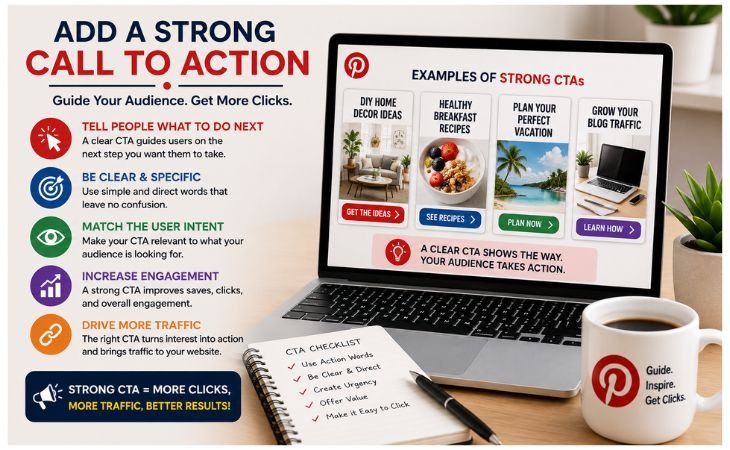
What Makes a Good Pinterest Pin? A great Pinterest Pin should not only attract attention but also encourage users to take the next step.
A strong Call to Action (CTA) is what encourages users to take the next step.
After someone reads your Pin title and likes your design, they need a clear reason to click.
A simple and direct CTA tells users exactly what they should do next, making your Pin more effective and increasing your click-through rate.
Many creators focus only on the design and keywords but forget to guide their audience.
Without a clear CTA, users may enjoy your Pin but never visit your website.
A well-written Call to Action removes uncertainty and motivates people to continue their journey by reading your article, exploring your service, or learning more about your content.
Best Call to Action Examples for Pinterest Pins
Read More – Encourage users to read the complete article on your website.
Learn More – Perfect for educational content, tutorials, and step-by-step guides.
Download Now – Ideal for free resources such as templates, checklists, or ebooks.
Get Started – A great choice for services, online courses, or beginner-friendly content.
Visit the Blog – Invite users to explore your website and discover more valuable articles.
Your Call to Action should be clear, relevant, and connected to the value of your content.
Avoid using confusing or overly aggressive phrases.
Instead, make it easy for users to understand what they will gain after clicking.
When a strong CTA is combined with a professional design, keyword optimization, and high-quality visuals, it improves Pinterest SEO,
increases click-through rates (CTR), drives more organic website traffic, and helps your Pinterest Pins deliver long-term results.
Common Pinterest Pin Design Mistakes
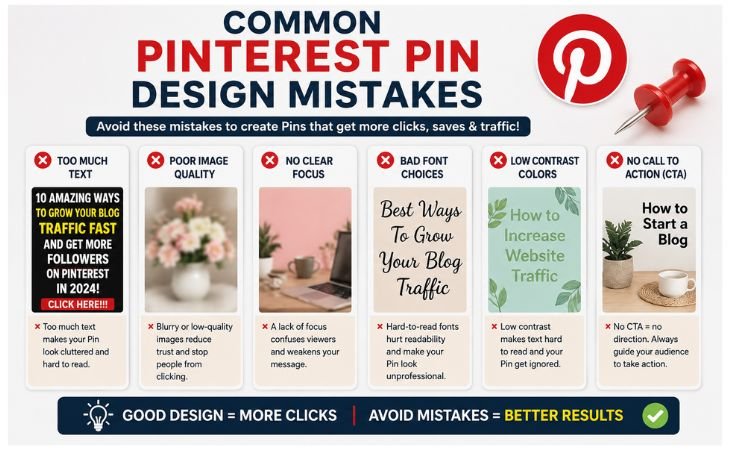
What Makes a Good Pinterest Pin? Even experienced bloggers and marketers sometimes make simple Pinterest Pin design mistakes that reduce their visibility and click-through rates.
A beautiful Pin alone is not enough if it lacks the essential elements that both users and the Pinterest algorithm expect.
By understanding these common mistakes, you can create more effective Pins that attract attention, improve Pinterest SEO, and generate consistent organic website traffic.
Every Pinterest Pin should provide a clear message, a professional appearance, and valuable information.
Small design or optimization errors can make your content difficult to understand or prevent it from appearing in relevant search results.
Avoiding these mistakes will help your Pins perform better and strengthen your overall Pinterest Marketing strategy.
Common Mistakes to Avoid
Using too much text. Overloading your Pin with excessive text makes it look cluttered and difficult to read. Keep your message short, clear, and focused.
Using low-quality images. Blurry, dark, or low-resolution visuals reduce trust and make users less likely to click or save your Pin.
Choosing the wrong keywords. Using irrelevant or missing Pinterest keywords makes it difficult for your content to appear in Pinterest search results.
Ignoring your branding. Pins without a consistent logo, colors, or design style make it harder for people to recognize and remember your brand.
Writing a weak title. A vague or uninteresting title fails to capture attention. Use a clear, benefit-driven title that includes your primary keyword naturally.
Leaving out a Call to Action (CTA). If you do not tell users what to do next, many of them will simply scroll past your content.
A simple CTA such as Read More, Learn More, or Visit the Blog encourages more clicks.
Avoiding these common mistakes helps you create Pinterest Pins that are clean, professional, and optimized for both users and search engines.
When you combine strong design, relevant keywords, clear branding, and a compelling CTA, your Pins have a much better chance of improving Pinterest SEO,
increasing click-through rates (CTR), and driving long-term organic website traffic.
Best Practices for Designing Pinterest Pins
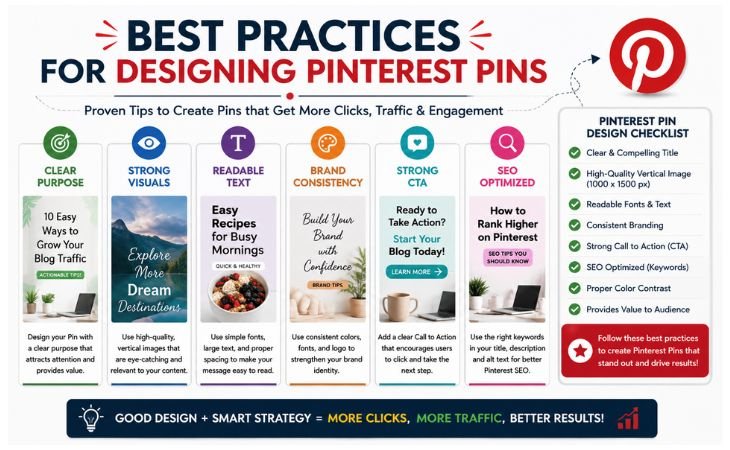
What Makes a Good Pinterest Pin? Creating a successful Pinterest Pin is not about following trends, it is about following proven best practices that improve user experience and Pinterest SEO.
Every Pin should be designed with a clear purpose: attract attention, provide value, and encourage users to click through to your website.
By consistently applying these best practices, you can create Pins that perform well in Pinterest search, generate long-term organic traffic, and strengthen your brand identity.
Use the following checklist before publishing every Pinterest Pin:
Pinterest Pin Design Checklist
✅ Write a clear and compelling title that explains the benefit of your content and naturally includes your primary keyword.
✅ Use strong Pinterest keywords in your Pin title, description, board name, file name, and linked page to improve Pinterest SEO.
✅ Choose a high-quality image with a vertical layout, sharp visuals, and a professional appearance that immediately grabs attention.
✅ Maintain consistent branding by using the same logo, colors, fonts, and design style across all your Pinterest Pins.
✅ Design for mobile users by keeping text large, layouts clean, and important information easy to read on smaller screens.
✅ Make your Pin easy to scan with simple wording, clear spacing, and a logical visual hierarchy that guides the reader’s attention.
✅ Include a clear Call to Action (CTA) such as Read More, Learn More, or Visit the Blog to encourage users to take the next step.
Following this checklist every time you create a Pinterest Pin helps improve Pinterest SEO, increases click-through rates (CTR), builds trust with your audience, and drives long-term organic website traffic.
Consistency is one of the biggest factors behind successful Pinterest Marketing, and even small improvements in every Pin can lead to significant growth over time.
Final Thoughts
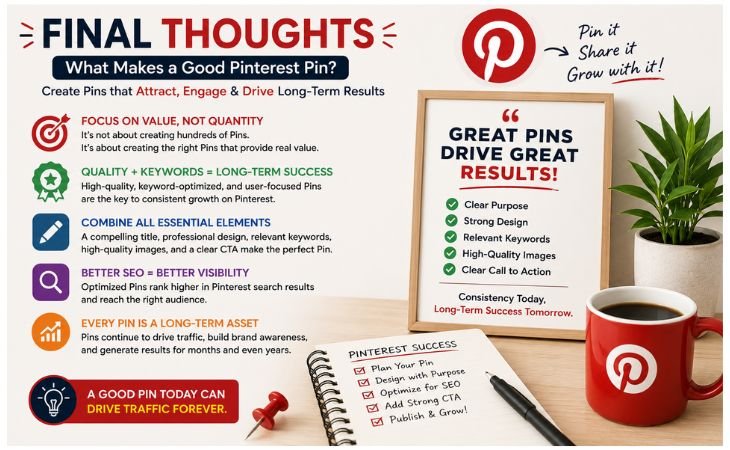
What Makes a Good Pinterest Pin? Creating a successful Pinterest Pin is not about designing the most beautiful graphic or publishing hundreds of Pins every month.
Long-term success comes from creating high-quality, keyword-optimized, and user-focused Pinterest Pins that provide real value.
When you combine a compelling title, professional design, relevant Pinterest keywords, high-quality images,
and a clear Call to Action, your Pins have a much better chance of appearing in Pinterest search results and attracting the right audience.
Remember that every Pinterest Pin is a long-term digital asset.
A well-optimized Pin can continue driving organic website traffic, increasing brand visibility, and supporting your online business long after it is published.
Instead of chasing short-term trends, focus on building a consistent library of helpful and evergreen Pinterest content that answers real user questions and solves real problems.
Whether you are a blogger, freelancer, content creator, or business owner, your goal should always be to create Pinterest Pins that people want to save, click, and share.
In the long run, creating better Pins is far more effective than simply creating more of them.
By following the best practices shared in this guide and continuously improving your Pinterest SEO strategy, you can build a stronger online presence, attract more targeted visitors,
and achieve sustainable growth through Pinterest Marketing.
The most successful Pinterest creators are not those who publish the most Pins, they are the ones who consistently publish the right Pins.
Focus on creating content that is valuable, searchable, and professionally designed, and let every Pinterest Pin become another step toward growing your website, your brand, and your long-term digital success.
Frequently Asked Questions
What makes a Pinterest Pin successful?
A successful Pinterest Pin combines a clear title, professional design, relevant Pinterest keywords, high-quality images, and a strong Call to Action.
These elements help your Pin attract attention, earn more clicks, improve Pinterest SEO, and drive long-term organic website traffic.
What size should a Pinterest Pin be?
The recommended Pinterest Pin size is 1000 × 1500 pixels, which uses a 2:3 aspect ratio.
Vertical Pins perform better because they take up more space in the Pinterest feed and are easier to view on mobile devices.
Why are Pinterest keywords important?
Pinterest keywords help the platform understand your content and show your Pins to users searching for related topics.
Using relevant keywords in your Pin title, description, board name, file name, and linked page improves Pinterest SEO and increases your chances of appearing in search results.
Do Pinterest Pins help website traffic?
Yes. Well-optimized Pinterest Pins can drive consistent organic website traffic for months or even years.
Unlike many social media posts, Pinterest Pins continue appearing in search results, making them a valuable long-term source of visitors.
Should every Pinterest Pin include a Call to Action?
Yes. A clear Call to Action encourages users to take the next step after viewing your Pin.
Simple phrases like Read More, Learn More, Get Started, or Visit the Blog can increase click-through rates and improve the overall performance of your Pinterest Pins.
Need Professional Pinterest Pins for Your Business?
Professional Pinterest Pins do more than look attractive, they help your content get discovered, increase organic website traffic, improve Pinterest SEO, and strengthen your online brand.
Whether you are a blogger, freelancer, content creator, or business owner, professionally designed Pins can help you reach a larger audience and achieve long-term results.
Explore my Pinterest Marketing Services on MyTailor.blog and discover how strategic Pinterest Pin design, keyword optimization, and SEO-focused content can help grow your website,
increase your visibility, and support your online business with sustainable traffic and consistent growth.
Pingback: Pinterest Keywords Explained: 7 Powerful Tips for Traffic